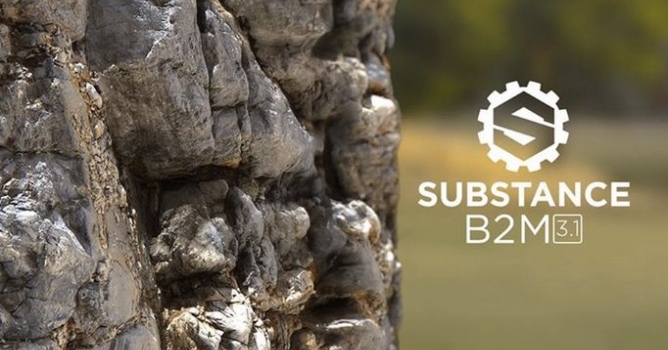
Version 3.1 has been released. Main features include new PBR shaders supporting tessellation and opacity (as on the image), new emissive and opacity outputs, more flexibility with custom image inputs and performance improvements overall. Find the full release note here:
Fixed:
- [Parameters] Syntax errors with some "visible if" conditions
- [Parameters] Inputs tooltips need some fixes
- [Parameters] Inputs labels and ID need some fixes
- [Parameters] Default values fixes
- [Delight] Light Equalizer range values doesn't behave correctly
- [Tiling] "Make It Tile" doesn't behave the same on X and Y axis with Edges Linear method
- [Relief] "Relief Equalizer" is not resolution independent
- [Specular] Specular doesn't work in metallic areas if metallic output is disabled
- [Filter] Improved results with non square image inputs
- [Filter] Better global performances
- [Parameters] Add a separated control on X and Y axis for Input Scale
- [Parameters] Add Light cancel angle parameter when extraction method is set on luminance based
- [Image Inputs] Have the possibility to apply Input Scale on "Metallic", "Emissive" and "Relief" image inputs
- [Image Inputs] Have the possibility to apply Make It Tile on "Metallic", "Emissive" and "Relief" image inputs
- [Tiling] "Make It Tile" Edges Quincunx tiling method must be affected by "Tiling Transition Precision"
- [Tiling] "Make It Tile": add a "Tiling Transition Size" option for "Quincunx" and "Linear" methods to control how far from the edges the transition will be done.
- [Relief] "Relief Balance" must produce higher quality results (low and mid frequencies look like coming from low resolution)
- [Relief] Add a parameter (Invert Relief Type) to control the "Invert Relief" type when the "Slope" Method is selected as the extraction algorithm.
- [Relief] Add a "Height Input Softness" option to blur the height map input
- [3D View] Add tessellation to PBR shaders (PC only due to hardware limitations on MacOSX)
- [3D View] Add simple opacity to PBR shaders (no face sorting)
- [Emissive] Add an emissive output (with image input support)
- [Emissive] Add controls to choose the generation method and adjust the result
- [Opacity] Add an opacity output (generated from the Main Input alpha channel)
- [AO] Add an extra frequency equalizer control ("AO Balance")

















 Customer zone
 Your orders
 Edit account
 Add project
 Liked projects
 View your artist profile
COMMENTS