Tool for batch baking entire multi-tile Collections.
The Multi-Tile UV Bake Tool allows you to batch bake entire multi-tile Collections directly into common multi-tile naming conventions such as MARI UDIM, Mudbox & Zbrush. 3dsMax is limited to the 0,1 UV Space, without this tool manually exporting/baking collections is extremely time consuming and quite forbidding, especially when dealing with large tile collections.
The bake tool was developed in order to process and export multi-tile uv data sets in 3ds Max for direct use with texture virtualization system Amplify Texture 2 in Unity Pro, as an added bonus it’s a great pipeline addition if you need to take your 3ds Max projects into other Multi-Tile Based authoring tools such as MARI or MODO.
Using Amplify Texture 2 in conjunction with the bake tool enhances common Architectural, Product Pre-Viz and video game workflows. The use of virtualized high quality assets in real-time Amplified Unity applications just became simpler.
In this video we go through the features provided by the tool and cover some possible workflows regarding data exchangeability, 3dsMax to MARI and Virtualized HDR Texturing/Bakes from 3dsMax to Amplify Texture 2 in Unity.
Veras 5.3 introduces NODES, a visual workflow builder now in Beta that lets users generate parametric geometry and bake it directly into Revit, Rhino, or SketchUp. The system shifts Veras from rendering-first to a full generative design platform with interactive design tools.
SketchUp 2025–2026 has added native PBR materials, AI image generation, and real-time rendering plugins like Lumion View, letting archviz artists produce photorealistic images without leaving the viewport. This collapses the traditional design-to-render pipeline.
Maxon's Redshift 2027.0 cuts render times by up to 15% through memory optimization and adds official Archicad integration alongside improved materials and live feedback tools.
Blender 5.3 arrives November 10 with DLSS 4.5 Ray Reconstruction, an AI-powered denoiser for Cycles that works on RTX 20–50 series cards. The upgrade promises faster interactive lighting workflows at near-final quality.
Chaos released V-Ray for Blender 7.4 with Windows ARM64 compatibility, Phoenix Ocean textures for exterior scenes, Quick Sun Caustics for realistic lighting, and tools to organize large asset libraries and migrate from Blender's native renderer.
Maxon's October 2026 release adds procedural vegetation scattering, reworked GPU memory management in Redshift, and liquid simulation—streamlining environment work and viewport iteration for archviz studios.
A free community plugin now lets 3ds Max users with older GPUs access neural rendering via DLSS 5, potentially speeding up renders without hardware upgrades.
Veras 5.3 introduces NODES, a visual workflow builder now in Beta that lets users generate parametric geometry and bake it directly into Revit, Rhino, or SketchUp. The system shifts Veras from rendering-first to a full generative design platform with interactive design tools.
In this walkthrough, we guide you through the process of building a polished 3D interior scene inspired by the cover of Archmodels vol. 306 – Table Sets.






 Customer zone
 Your orders
 Edit account
 Add project
 Liked projects
 View your artist profile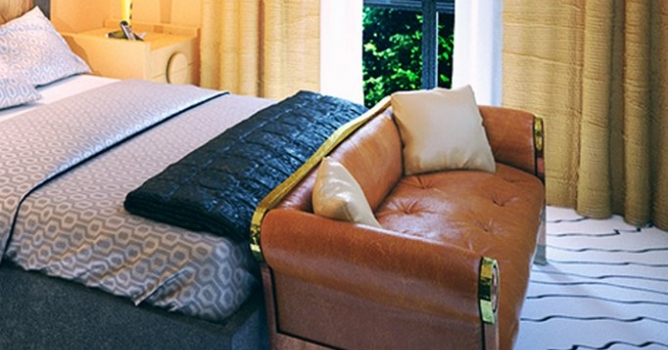












COMMENTS