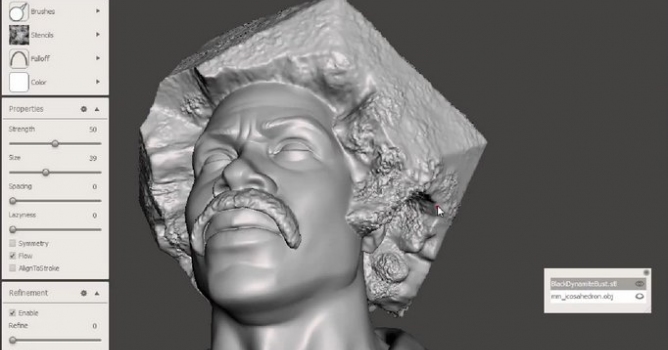
A free update for Meshmixer boasts an all-in-one 3D printing suite with new features.
Now you have all of the mixing, sculpting, healing, stamping, painting tools of Meshmixer you always had with a streamlined path direct to your 3D printer. You can choose your printer and other settings for 3D printing your creation. You will also have access to all of the mixing and sculpting tools as well to effortlessly make adjustments within Meshmixer. The powerful and easy features of Meshmixer make it a great companion application for anyone who is 3D printing, whether you are just beginning or a seasoned Maker.
integrated 3D Print Preview (formerly known as Autodesk 3D Print Utility) with model analysis based on selected printer, material visualization, and print-level repair, hollow, and thicken tools
improved Overhangs Tool with better support structure algorithm, full manual support editing (including after save/load), options to convert to a single solid shell, safer defaults, and improved parameter ranges.
new Slicing Analysis Tool identifies thin/small areas in slice polygons
new Offset Tool computes consistent offset shells (use to thicken, create walls, etc)
new Attract To Target Tool that pulls selection towards Target object (set target in Actions menu)
new Make Solid Tool converts multiple shells into a single solid, with optional offset distance
extended Soft Transform Tool with improved boundary controls and Nonlinear deformation mode
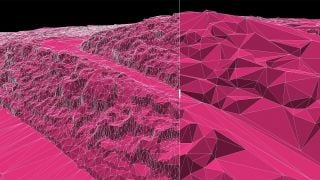
rewritten Reduce Tool can now produce lower polycounts with better details
improved Plane Cut Tool now handles complex nested shells
improved Replace/Fill Tool now fills interior holes with hard borders
extended Selection Tool now has a multi-click polygon lasso mode and Sphere selection brush
Arnold 7.5.4 adds true render pausing, expands viewport acceleration to 3ds Max and Cinema 4D, and introduces a Shader Imager for pixel-level compositing without full rerenders. GPU instance performance jumps 3x for large scene updates.
Chaos embeds AI assistants, MCP server integration with Claude and ChatGPT, 2D-to-3D asset generation, and AMD GPU support into V-Ray 7, Update 5. The update also bundles Vantage real-time ray tracing access for Collection license holders, targeting faster workflows without compromising offline render quality.
Mach9's web-based CAD software now processes drone and helicopter point clouds with automated feature extraction, cutting survey-to-model time by 40%. Export goes to DXF, DWG, LandXML and GIS formats.
Enscape's November 2026 release adds AI-driven content discovery, custom 3D model generation in beta, and expanded asset libraries to speed up visualization workflows. Over 1,500 new real-time assets, including Evermotion content, bring Cosmos to 13,000+ items.
Autom8Labs has released 22 free MCP Skills for AI agents across nine AEC applications, including tools to configure Corona and V-Ray in 3ds Max and build parametric definitions in Grasshopper. The skills pair with MCP Connectors linking Claude directly into design software to automate rendering setup and parametric workflows.
Blender 5.3 adds built-in support for importing and rendering 3D Gaussian splats, eliminating external add-ons and opening photogrammetry capture as a native workflow. The feature works across Cycles, EEVEE and Workbench, but carries current limitations around export, transforms and color space handling.
AI visualization tools accelerate early design exploration but introduce new risks in multi-view consistency, architectural accuracy, and revision control. Studios must anchor all work in a production 3D scene and implement structured approval gates before generation.
Adobe released Substance 3D Painter 12.2 on October 21, 2026, introducing cage painting that lets artists control baking offsets by painting directly on models. The release addresses workflow gaps that have pushed users toward external baking tools.
Chaos embeds AI assistants, MCP server integration with Claude and ChatGPT, 2D-to-3D asset generation, and AMD GPU support into V-Ray 7, Update 5. The update also bundles Vantage real-time ray tracing access for Collection license holders, targeting faster workflows without compromising offline render quality.
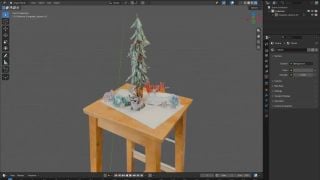
In this walkthrough, we guide you through the process of building a polished 3D interior scene inspired by the cover of Archmodels vol. 306 – Table Sets.













 Customer zone
 Your orders
 Edit account
 Add project
 Liked projects
 View your artist profile

COMMENTS