Evermotion: More Than an Asset Library
How Evermotion became a full-scale production partner for archviz, automotive and synthetic data.


Total: € 0
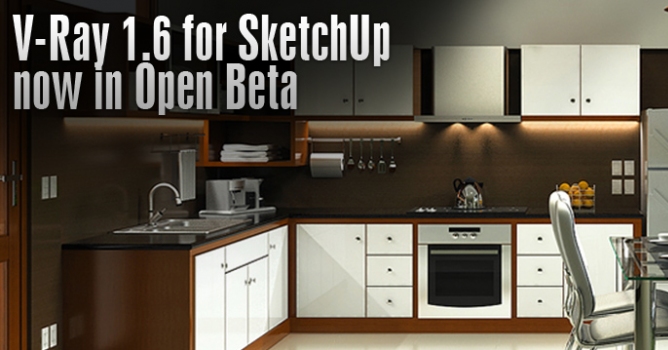

This massive upgrade to V-Ray for SketchUp includes a series of new feature introductions that enhance visualization workflow and render quality (V-Ray RT, V-Ray Dome Light) and streamline scene complexity (V-Ray Proxy).
- With 16 new features designed and accounted for, V-Ray 1.6 for SketchUp has become the most robust, and artist-friendly render application SketchUp users have ever seen - said Corey Rubadue, Chaos Group product manager, V-Ray for SketchUp.
As part of this update, V-Ray 1.6 for SketchUp will offer architects and designers access to proven V-Ray technologies that accelerate the creative process. For example, with V-Ray Proxies users can now achieve exceptionally high levels of detail and modeling complexity while efficiently rendering massive amounts of geometry in the blink of an eye.Proxies can also be shared between V-Ray versions giving architects the ability to share models between 3ds Max, Maya, Softimage and Rhino.
- V-Ray 1.6 for SketchUp should be part of every designer’s digital toolset; it’s fast, simple, and seamlessly integrated, which allows you to explore ideas without leaving the application - said Jorge Barrero, senior associate at Gensler. - The recent addition of V-Ray RT gives me instant feedback on my lighting, while V-Ray Dome Lights lets me push the quality of my renders to a whole new level. As a long time user, it’s pretty exciting.
Key Features for V-Ray 1.6 for SketchUp:
Rendering Engine Upgrades:
Lights:
Geometry:
For the full list of features, click here.
Chaos Group is also releasing a set of materials that will help their users experience the benefits of V-Ray 1.6 for SketchUp even faster. Those materials include: help documentation, a dedicated beta forum, tutorials, and videos explaining the new features.
Pricing and Availability
The free open beta of V-Ray 1.6 for SketchUp is available for SketchUp 8 on both the Windows and OS X platforms - 32bit only. It can be downloaded right now by applying for the public beta program on Chaos Group’s website.
Pricing for V-Ray 1.6 for SketchUp will remain unchanged ($800). The upgrade price from V-Ray 1.49 for SketchUp or lower is $320. Users who purchased V-Ray for SketchUp between April 15, 2013 and the official release date will be eligible for a free upgrade.








LEAVE A COMMENT





|

|

|

|

|
 Customer zone
 Your orders
 Edit account
 Add project
 Liked projects
 View your artist profile
COMMENTS