SketchUp 2027 integrates procedural modeling, AI rendering, and Claude-powered generation to speed concept work before handoff to external renderers. System requirements narrow to Windows 11 and Apple Silicon, and a Ruby upgrade may affect plugins.
SketchUp 2027.0 launched on October 21, shipping with procedural modeling tools and integrated AI features aimed at compressing the design-to-visualization pipeline. According to the community announcement, this release is "about modeling that keeps up with your ideas"—a focus on reducing manual geometry work before export.
The three new procedural tools handle common repetitive tasks. Procedural Follow Me lets you create editable sweeps and profiles without committing to the operation. Procedural Solid Tools enable reversible boolean operations across multiple solid objects. Copy Along duplicates groups or components along a path with adjustable spacing. These keep geometry procedural until you're ready to finalize, useful for rapid iteration before committing to a production renderer.
AI Render arrives as a pre-installed extension across Desktop, Web, and iPad. It includes controls to erase, paint, sketch, and adjust geometry fidelity—letting the AI stick closely to your model or take more creative liberty. AI Assistant accepts plain-English prompts and object descriptions to generate 3D content. A third tool, Generate Textures, rounds out the creative suite, and SketchUp has added a Claude Connector for integration with Anthropic's Claude.
AI credits come bundled with subscription tiers: 100 per month with Go, 150 with Pro, and 200 with Studio. Each AI Render costs 10 credits; unused credits expire monthly. Trimble offers a purchased add-on of 1,500 credits per month for heavier users.
Import and export improvements expand asset pipeline flexibility. USD support now includes USD, USDA, and USDC formats—previously only USDZ was supported. DWG/DXF import gains tessellation controls (angular deviation, chordal tolerance, max edge length) and annotation handling. IFC geometry support expands to SweptDiskSolid, IfcLamp, and IfcOutlet, with advanced tag and layer importing. Multi-model tabs and floating windows let you manage several projects in one SketchUp instance.
LayOut gains practical upgrades: Hidden Line Rendering is now multi-threaded and cuts heavy scene vector rendering by up to 85%, according to the release notes. Paperless Canvas adds Draw Mode for 1:1 sketching before choosing paper size. Image adjustment viewports offer non-destructive opacity, brightness/contrast, and hue/saturation controls.
Windows and macOS now share unified UI parity, with customizable workspaces and toolbars on both platforms.
Video: Toolfarm
What This Means for Archviz Pipelines
For archviz artists, the procedural tools save time on boilerplate geometry—railings, repeated fixtures, geometric assemblies—before you export to V-Ray, Corona, or a real-time engine. AI Render offers quick feedback on lighting and material choices without leaving SketchUp, ideal for concept validation. The expanded USD support and improved DWG/IFC import smooth handoffs from BIM or asset libraries into your scene.
Two caveats matter. The 10-credit-per-render cap (15 renders monthly on Pro) caps heavy AI iteration; users with high volume will need the purchased add-on. More significant for plugin-heavy studios: SketchUp upgraded Ruby from 3.2.2 to 3.4.9, which can break native C extensions in third-party plugins. Check with your plugin vendors on compatibility before upgrading.
System requirements have tightened: Windows 11 is now mandatory (Windows 10 is out), and macOS requires Apple Silicon. Intel Mac users stay on SketchUp 2026.2. These moves narrow the install base but align SketchUp with modern platform constraints.
In this walkthrough, we guide you through the process of building a polished 3D interior scene inspired by the cover of Archmodels vol. 306 – Table Sets.





 Customer zone
 Your orders
 Edit account
 Add project
 Liked projects
 View your artist profile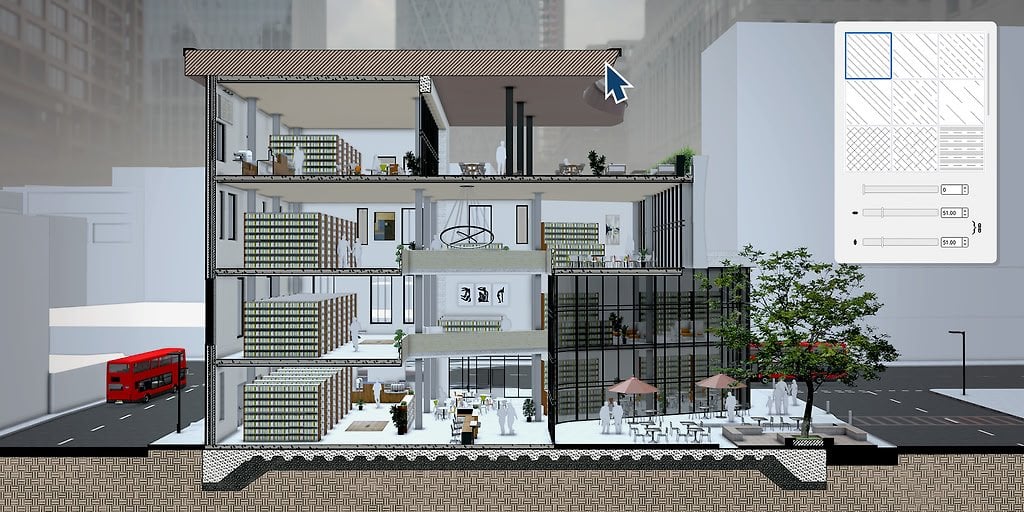
















COMMENTS