Creating realistic 3D interiors begins with exceptional attention to detail, including lighting, rugs, and furniture. Explore how Nightstands, Beds, Lamps, and other elements from Evermotion’s collection help build professional Bedroom and Children’s Bedroom scenes with balance and style.
Lighting That Defines Your 3D Bedroom Scene
Good lighting can shift the mood of a space faster than any other element. In 3D interior scenes, adding accurate and well-placed light sources brings balance, realism, and visual interest. Our Lamp and Chandelier models help shape the atmosphere in virtual interiors from calm and cozy to modern and dynamic.
The impact of lighting isn’t only about brightness. The shape, size, and placement of your Lamp or Chandelier model can guide the viewer’s eye, emphasize focal points, and establish a hierarchy in the scene. Use them to subtly highlight textures, define zones within open layouts, or simulate the behavior of real-life lighting.
These elements aren’t standalone they need to interact with materials, shadows, and architectural features to create a cohesive result. That’s why 3D artists often begin with global illumination setups, then fine-tune with targeted sources.
Here’s a tip: anchor your Bedroom lighting around central objects, such as beds or art pieces. Then use smaller sources to complement them with ambient or task lighting.
Whether you’re working on residential renders or architectural visualization, keep light layering in mind. Direct lighting gives structure; soft lighting adds depth. Combining both in the same space can dramatically boost visual complexity and realism.
Rugs That Add Depth and Dimension
In CG environments, rugs act as more than just floor coverage. They help structure layouts and create natural visual transitions between different areas of a Bedroom. When chosen carefully, a rug model can serve as a visual anchor beneath furniture, offering depth, scale, and balance.
Our collection features rug models that are ideal for both modern and traditional interiors. They bring variation to flat surfaces, adding interest through shape and subtle elevation changes without needing heavy post-processing or custom assets.
Rugs can be used to:
Define sleeping or reading zones
Separate the bed area from the walkways
Add color contrast to monochromatic floor plans
Layering rugs with other soft furnishings also makes your render more relatable and grounded. Their placement influences composition flow. Consider placing them at angles or partially beneath Beds to soften symmetry.
Rug models from Evermotion are ready to integrate directly into your layouts, and they pair easily with other assets in our Bedroom category. From cozy setups to luxury hotel interiors, rugs deliver depth and help simulate everyday use.
They also help connect foreground and background objects, preventing visual gaps and leading the viewer’s gaze more naturally through the 3D space.
Nightstands That Complete the Look
Nightstands are a small but essential component in bedroom scenes. Positioned next to Beds, they bring both function and form to the environment. Our Nightstands models help finish the scene compositionally, offering a grounded balance to the vertical mass of a bed and wall fixtures.
When styling a 3D Bedroom, nightstands provide a surface for lighting, decor, and practical items. Including them ensures the scene doesn’t feel incomplete or underdeveloped. Their scale and style also reinforce the narrative whether it’s minimal, contemporary, or detailed and decorative.
For best results:
Place identical nightstands on each side of the bed for symmetry
Mix with Lamp models to create balanced lighting
Offset one side with decor to break up the pattern
Nightstands often signal the room’s function and the user’s lifestyle. That’s why it’s important to choose models that reflect the mood of your entire Bedroom layout. Explore the collection to find items that suit compact, standard, or large-format interiors with ease.
Styling a Child’s Bedroom in 3D
Designing a Children Bedroom space involves more than just scaling down adult-sized furniture. These rooms benefit from a variety of textures, colors, and arrangements to convey a sense of playfulness and comfort. Our models reflect that balance with forms that suit both personal and shared spaces.
When building a 3D scene for a child’s room, consider how furniture and accessories interact spatially. Nightstands, soft lighting, and thematic decor help ground the room, while ensuring it remains functional and visually pleasing.
Smart layout choices:
Use soft area rugs to define activity zones
Add compact Beds and nightstands to conserve space
Use Lamp models with diffused light for softer results
Designing such scenes requires thoughtful planning around proportion and negative space. Our ready-to-use 3D assets allow you to focus on creative arrangement instead of building models from scratch. They’re also perfect for combining with elements from the Indoor category, offering you more freedom in scene composition.
Bed Placement in Interior Visualizations
The placement of Beds can dramatically impact how a 3D bedroom scene reads. Beds are usually the central element in any sleeping area, guiding both layout and lighting decisions. Their size, orientation, and accessories affect the overall perception of balance and proportion.
Start by deciding on the bed’s location relative to walls, windows, and walkways. Then, organize supporting elements like Nightstands or lighting fixtures around that anchor. This method ensures a visually grounded setup that aligns with how we perceive real interiors.
To avoid flat compositions, rotate beds slightly or use an off-center approach. Complement with directional lighting from the Chandelier category to highlight textures and bring attention to headboards or wall finishes.
Make use of rugs, throws, and decor elements to enrich the presentation and add realism to your scene. When combined with Evermotion’s wide range of accessories, Beds become more than objects; they create mood and lifestyle narratives in virtual space.
Indoor Add-Ons That Elevate Your Scene
A successful interior visualization is made up of more than just primary furniture. Secondary elements from our Indoor category bring scenes to life. From wall art and books to ambient lighting, these details give personality to your Bedroom projects and enhance realism.
Use indoor assets to:
Fill empty spaces without overcrowding
Support color harmony and material flow
Provide natural scale references
This approach also supports modular design. Once your core layout is done, you can rotate through decor options from the Indoor section to quickly generate variations for client presentations or portfolio updates.
Every object you add contributes to storytelling. Thoughtful curation helps avoid clutter while maintaining a rich and visually engaging scene. Pair indoor add-ons with soft lighting from our Lamp models or overhead options from the Chandelier category for a fully polished result.
Veras 5.3 introduces NODES, a visual workflow builder now in Beta that lets users generate parametric geometry and bake it directly into Revit, Rhino, or SketchUp. The system shifts Veras from rendering-first to a full generative design platform with interactive design tools.
SketchUp 2025–2026 has added native PBR materials, AI image generation, and real-time rendering plugins like Lumion View, letting archviz artists produce photorealistic images without leaving the viewport. This collapses the traditional design-to-render pipeline.
Maxon's Redshift 2027.0 cuts render times by up to 15% through memory optimization and adds official Archicad integration alongside improved materials and live feedback tools.
Blender 5.3 arrives November 10 with DLSS 4.5 Ray Reconstruction, an AI-powered denoiser for Cycles that works on RTX 20–50 series cards. The upgrade promises faster interactive lighting workflows at near-final quality.
Chaos released V-Ray for Blender 7.4 with Windows ARM64 compatibility, Phoenix Ocean textures for exterior scenes, Quick Sun Caustics for realistic lighting, and tools to organize large asset libraries and migrate from Blender's native renderer.
Maxon's October 2026 release adds procedural vegetation scattering, reworked GPU memory management in Redshift, and liquid simulation—streamlining environment work and viewport iteration for archviz studios.
A free community plugin now lets 3ds Max users with older GPUs access neural rendering via DLSS 5, potentially speeding up renders without hardware upgrades.
SketchUp 2025–2026 has added native PBR materials, AI image generation, and real-time rendering plugins like Lumion View, letting archviz artists produce photorealistic images without leaving the viewport. This collapses the traditional design-to-render pipeline.
In this walkthrough, we guide you through the process of building a polished 3D interior scene inspired by the cover of Archmodels vol. 306 – Table Sets.






 Customer zone
 Your orders
 Edit account
 Add project
 Liked projects
 View your artist profile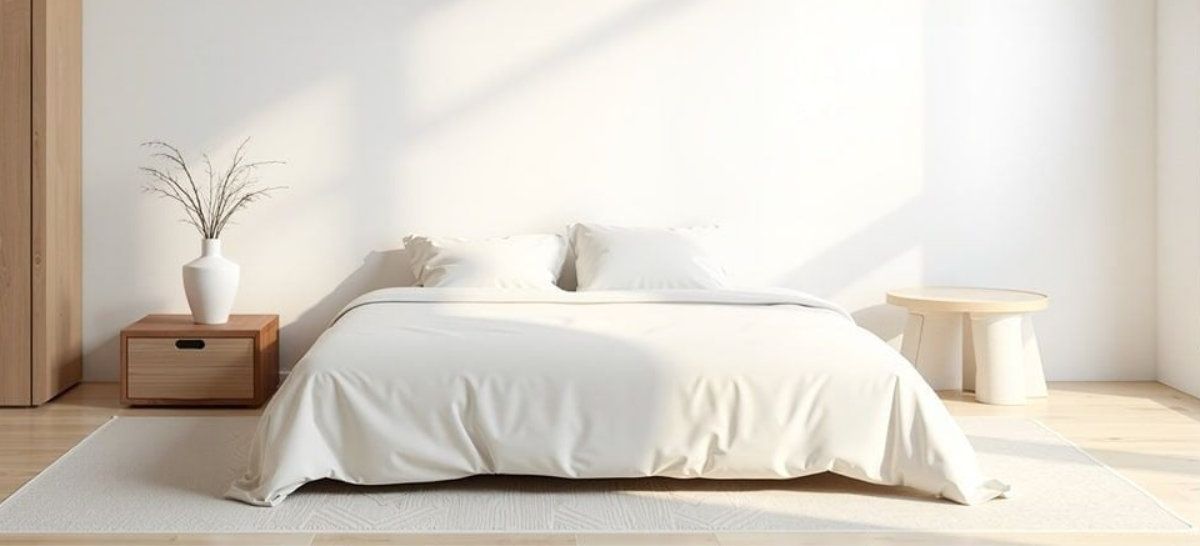













COMMENTS