Arnold 6.1 brings new post-processing nodes for creating exposure, color correction, and vignetting effects and support for nested dielectrics for rendering realistic overlapping surfaces, such as bubbles or ice cubes in a drink. Building on Arnold 6, this update also introduces a number of USD enhancements and brings even more speed and flexibility to GPU rendering with improvements to on-demand texture loading and support for light linking, light AOV groups, and more.
New post-processing nodes - New post-processing nodes or ‘imagers’ have been added to allow chaining of pixel effects before reaching the output driver, so you can get your render looking just right. New imagers in this release, include:
- Exposure: Specify additional exposure compensation.
- Color Correction: Adjust saturation, contrast, gamma, gain and offset for the whole luminance range, or only for shadows, midtones, or highlights.
- Lens Effects: Apply optical lens effects like vignetting.
- White Balance: Correct your image's white balance with reference illuminants, custom colors, or a blackbody temperature.
- Tonemap: Artistically modify your image's tone mapping using a filmic or a modified Reinhard curve.
Nested Dielectrics - developers added nested dielectrics, a new priority system for overlapping transparent objects. By allowing you to assign priorities to models, this new feature gives your scenes more physically accurate reflections and refractions of rays. This allows for more realistic renders of scenes such as glass containers with liquid contents and bubbles or ice cubes, as shown in the example below.
GPU Improvements - The GPU renderer can now partially load textures which means bigger savings on both memory consumption and rendering time. In a typical scene, the amount of memory needed for textures is now up to 5x smaller.
More on Autodesk Arnold site.






 Customer zone
 Your orders
 Edit account
 Add project
 Liked projects
 View your artist profile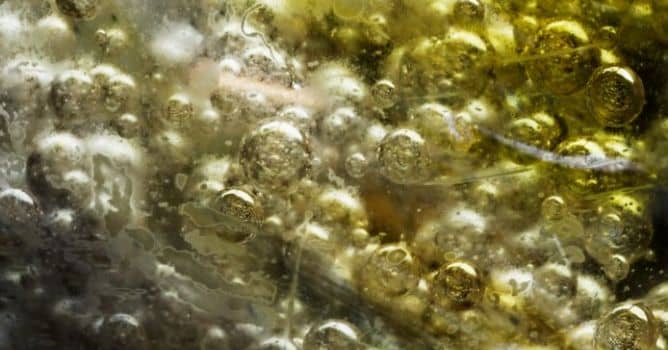













COMMENTS