





 Customer zone
 Your orders
 Edit account
 Add project
 Liked projects
 View your artist profile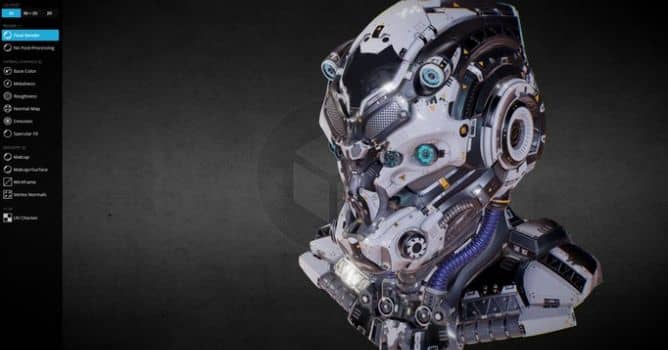


SCI-FI HELMET – BLUE NEON – Jonathan BENAINOUS
Inspector is now available to all Sketchfab community members and anyone exploring a Sketchfab embed just about anywhere on the web. Your site, portfolio, Facebook, Twitter and on and on. It's a bigger, better version of previous rendering options.
In addition to existing ability to show the wireframe or change to matcap rendering on any model, the inspector now lets you break down EVERY material into its component parts – including base color, metallic, roughness, ambient occlusion, opacity, emission, specular and normal maps.
Better yet, you can also use the inspector to view normal direction and display a UV checker map.

You can also split the inspector into a 3D, 3D and 2D, or just 2D view to view every texture on a model. You can view wireframe topology in the 2D view to show off your UV packing skills or admire the work of others.

You also have an option to opt-out of sharing your work in 2D view.
More info on Sketchfab Blog.












COMMENTS