This article appeared first on Chaos Group Blog. Top image by Dabarti Studio.
V-Ray Hybrid Benchmarks
To find out the speed boost we get by adding CPUs to the GPU mix, we benchmarked two V-Ray CUDA scenes from our friends at Dabarti Studio.
Hardware
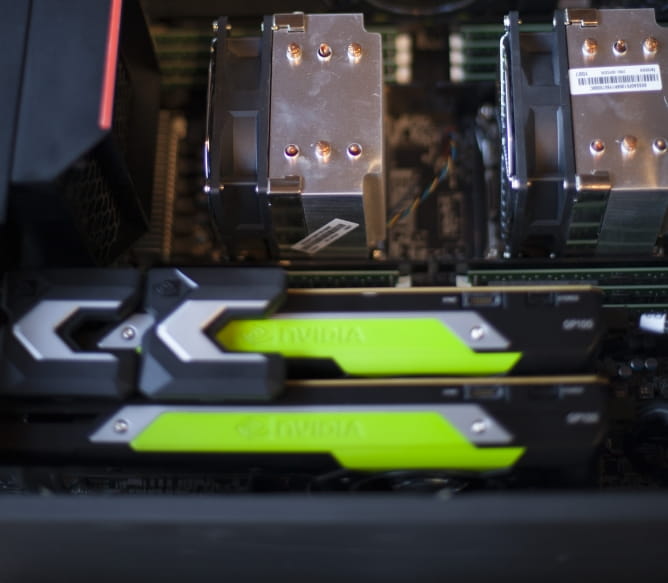
CPUs: 2 x Intel Xeon CPU E5-2687W v3 3.10 GHz, total of 40 logical CPU cores RAM: 128 GB, GPUs: 2 x NVIDIA Quadro GP100 with 16GB each, total of 7,168 GPU cores

Engine: V-Ray 3.6 CUDA, Resolution: 1920×1080, Noise threshold: 0.01, GPUs + CPUs Time: 4:27 (267s); GPUs only Time: 5:03 (303s) 13% longer than GPU + CPU; CPUs only Time: 26:25 (1585s) 520% longer than GPUs alone. Scene courtesy of Dabarti Studio
Salt and Pepper scene

Engine: V-Ray 3.6 CUDA, Resolution: 1920×1080, Noise threshold: 0.01. GPUs + CPUs Time: 9:11 (551s); GPUs only Time: 11:33 (693s) 25% longer than GPU+CPU. CPUs only Time: 40:52 (2452s) 354% longer than GPU alone. Scene courtesy of Dabarti Studio
For these scenes, the addition of CPUs helped reduce render times by 13% and 25%. It’s a welcome speed boost, rather than leaving these powerful CPUs idle.
Let’s consider a few use cases for V-Ray Hybrid:
- Maximize your computing power If you have a powerful workstation, say 40 CPU cores and 4 GPUs, you can take advantage of all its computing power. Nothing is left idle.
- Use all your render nodes Many artists and studios have GPU & CPU workstations and CPU render nodes. With V-Ray Hybrid they can render using all the hardware they have.
- CPU fallback In case your scene won’t fit into your GPU RAM limits, you can still render on CPU.
Upgrade to GPUs as you go
As CPU machines are ready to be replaced, V-Ray Hybrid can help ease the transition to more GPU rendering, while continuing to take advantage of existing CPU resources. Additionally, if there is an empty PCIe slot on a workstation or render node, adding a GPU can give it a radical speed boost without replacing the whole machine.
A few things to note
- V-Ray Hybrid and V-Ray Production renderer: It’s important to note that the V-Ray Hybrid (GPU–CPU CUDA) renderer is not the same as the V-Ray Production (CPU) renderer, and the two engines will continue to remain separate.
- GPU cores vs. CPU cores While V-Ray Hybrid can render on CPUs and GPUs simultaneously, CPU cores and GPU cores are not the same. For example, a GPU with 2560 cores is not simply 320 times faster than an 8 core CPU. To determine the actual speed difference, real-world benchmark tests are required.






 Customer zone
 Your orders
 Edit account
 Add project
 Liked projects
 View your artist profile



















COMMENTS