If you are modeling a building in a real location, you need to achieve realistic, proper reflections and light in your scene. One of the ways to achieve good results is to use real maps of surrounding area. That's where Google StreetView panoramas come handy.
Your options are:
1. Panorama Extractor - €25 - Just pick a location on the map, and if a Google Streetview is available you can save it and use it in your CG scene.
Issues:
- The Zoom level, if its 5, will not generate a proper image
Links:
You can buy Google StreetView Panorama Extractor for €25 on Panorama Extractor site
2. StreetView Grabber 1.6 (free) - To download 360 panorama go to the location in StreetView maps, copy the URL from the address bar of your browser. Paste it into StreetView grabber by clicking the Add Pano button. Select desired resolution (quality) and click Grab! Multiple panoramas can be queued.
StreetView Grabber is a free tool developed by Albert Bujanovs to extract Google Street View panoramas.
Features:
- Support for both the new and the old URL formatting
- Import multiple panorama URLs from clipboard (separated by new line symbol)
Links:
And just a reminder: Google’s permission guidelines exclude commercial use of its Street View images. if you want to use Google Maps, Google Earth, or Street View for other commercial purposes, please contact the Google Maps for Work sales team.






 Customer zone
 Your orders
 Edit account
 Add project
 Liked projects
 View your artist profile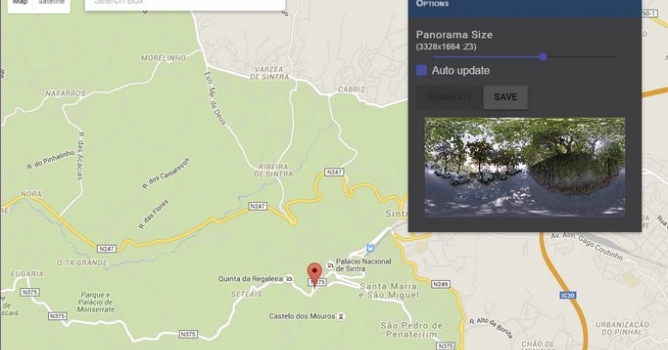














COMMENTS