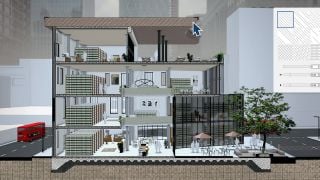
SketchUp 2027: Procedural Tools and AI Features Compress Modeling-to-Render Cycles
SketchUp 2027 integrates procedural modeling, AI rendering, and Claude-powered generation to speed concept work before handoff to external renderers. System requirements narrow to Windows 11 and Apple Silicon, and a Ruby upgrade may affect plugins.





 Customer zone
 Your orders
 Edit account
 Add project
 Liked projects
 View your artist profile













COMMENTS