Search
Cart
Sign in
  • offerCustomer zone
  • offerYour orders
  • offerEdit account

  • offerAdd project
  • offerLiked projects
  • offerView your artist profile

  • Dark mode

We care about your privacy

We use cookies to provide you with the best possible experience. They also allow us to analyze user behavior in order to constantly improve the website for you. The consent is voluntary. You can withdraw it at any time or renew it in Cookie settings on the home page. Withdrawal of your consent does not affect the lawfulness of processing performed before the withdrawal. Privacy Protection Policy
Accept all
Accept selection
Reject all

Sampling for Arch Vis renders in vray 2.4

John O'Connell 2014-02-12 08:42 tutorial  > 3ds MAX  > rendering

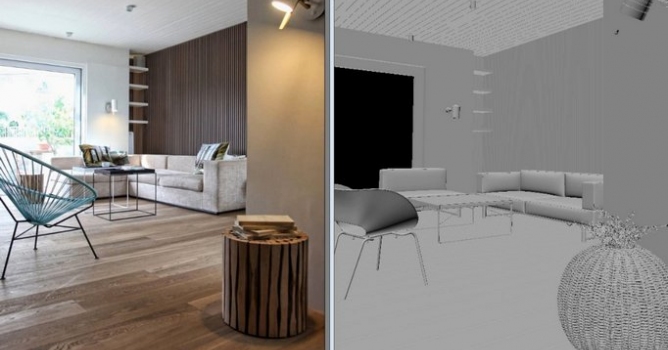
John O'Connell shows his methods for achieving predictable and clean renders.

Author: John O'Connell Editor: Michal Franczak
Tags: vray
You may also like...
Top 5 Vray Workshop - the best works of last week

Top 5 Vray Workshop - the best works of last week

Vray Workshop + Evermotion present TOP 5 VRay Workshop - selection of the best works presented during the week.
×

LEAVE A COMMENT

You need to be logged in to leave a comment. Don't have account? Register now.

daphone 11:12:45  |  13-02-2014
great tutorial, thank you!
eni_74 19:18:34  |  20-02-2014
Thank you for this huge job, it helps a lot.
Andy511960 17:54:41  |  25-02-2014
I would have placed a skylight portal in that opening and saved myself a huge amount of time. Yes I know the discussion was about samples and demonstrating what they do and what affect they have on the scene.. but for any interior render, sky portals are a definite must. otherwise as you point out, the initial image, will look awful from the get go, since Max / Vray haven't got a clue where you actually put holes in walls for light to enter, therefore wasting a huge amount of the samples, outside of the scene, lighting parts you will never see.. Interesting use of render elements though, will definitely take a look at that later.