Search
Cart
Your cart - 0 items
Total: € 0
Total: € 0
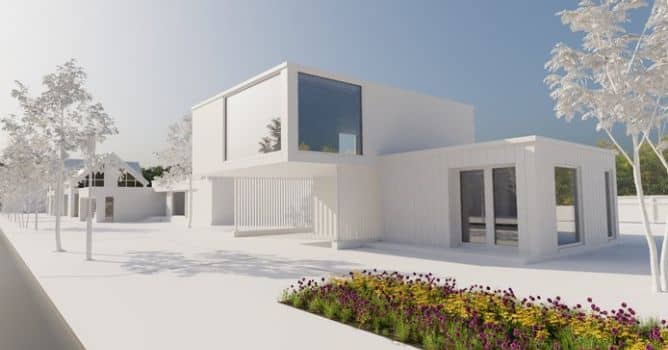

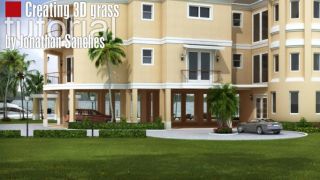
Plants and grass are vital for realistic 3d exterior scenes. Evermotion offfers many greenery collections. Most of them are made in 3ds Max, Cinema4D, FBX and OBJ formats. That does not mean that they cannot be used in Blender. Recently, makers of Graswald add-on released a free sdcattering plugin called G Scatter. It can scatter any objects on any surface, I decided to give it a go and use Archmodels vol. 235 plants to make a small flowerbed in a test scene.
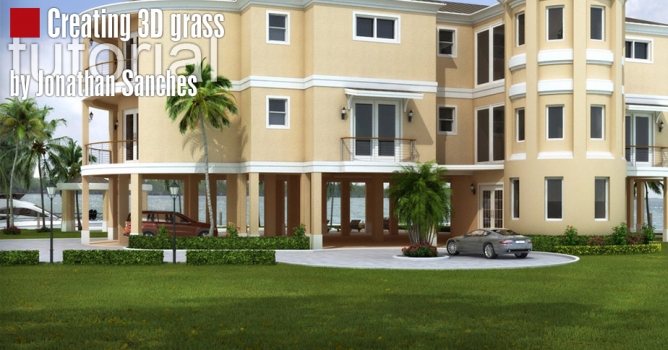
I used exterior scene from our Archviz Training online. It was made in 3ds Max and you can download it from the link in the video description. I decided to migrate it to Blender via FBX.

This is the scene in 3ds Max. Now we need to convert it.

I just use "File > Export" dialog

I don't change anything here, just move along.

I import the scene to Blender and this is how it looks like in viewport.

I sorted scene elements into separate collections (trees, house templates, lamps, etc.)

I decided to use Sky texture (Nishita model) to light this scene. Settings are on the right.

I added a camera, change FOV to 22 mm and placed it similar to 3ds Max scene.

I imported my plants models from Archmodels vol. 235 collection to scene. I used FBX import. Then I pressed CTRL-A and applied the scale.

I had to reassign textures for models - after import only Albedo texture was in place. So I added opacity and normals textures.

I also had to move pivot point to the bottom of the plants. I just enabled edit mode (TAB) and selected bottom edges.

After pressing SHIFt-S you can see the pie menu. Choose "Cursor to selected"

Exit edit mode and set origin to 3d cursor.
Opacity texture is very important - here you have model without opacity map enabled.

And with opacity map enabled - as you can see, we get much more realistic edges of our flowers.

I created a plane and used Archmaterials vol. 1 soil textures as a base.

I subdivided the plane because I wanted to be able to paint with my plants.

I enabled G Scatter from Right menu, chose my plane with a drop tool in the right corner and used Asset browser to place some basic grass on the plane

I changed density to 23.

Then I selected Aster model from Archmodels vol. 235 and pressed "scatter selected as objects". After that I used brush icon to paint weight - the highest weight is in the middle of the plane, so we end with a one strip of flowers.

I used another flower model to paint it on the sides of yellow asters. I also use randomization in X, Y, Z rotation and random scale.

At the end I used another Graswald grass to add some more small vegetation.

Flower painting is complete, we can render our scene.

I used Cycles renderer with GPU Optix mode

I changed my color mode to Filmic - Medium High contrast.

Final result. It's not much, but it's a start - as you can see, you can easily use FBX 3d models from Archmodels collections in Blender. Happy rendering and thanks for reading!

LEAVE A COMMENT





|

|

|

|

|
 Customer zone
 My courses
 Your orders
 Edit account
 Add project
 Liked projects
 View your artist profile

COMMENTS