Evermotion: More Than an Asset Library
How Evermotion became a full-scale production partner for archviz, automotive and synthetic data.


Total: € 0
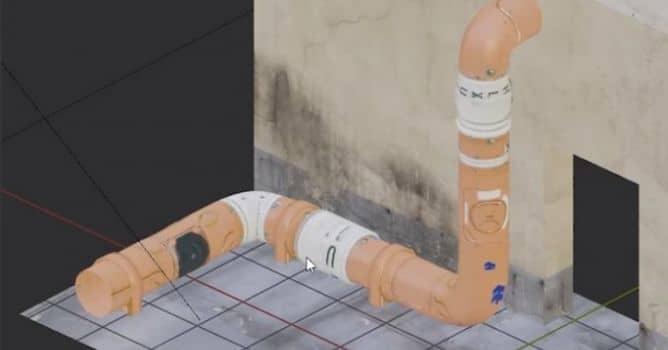

Draw curves, bevel them and unwrap. Then use UV Squares add-on to straighten up unwrapped result. This way of creating industrial pipes is one of the fastest for Blender and allows for quick reinterations, extruding pipe elements, making different pipe shapes, etc.



LEAVE A COMMENT





|

|

|

|

|
 Customer zone
 Your orders
 Edit account
 Add project
 Liked projects
 View your artist profile
COMMENTS