Evermotion: More Than an Asset Library
How Evermotion became a full-scale production partner for archviz, automotive and synthetic data.


Total: € 0
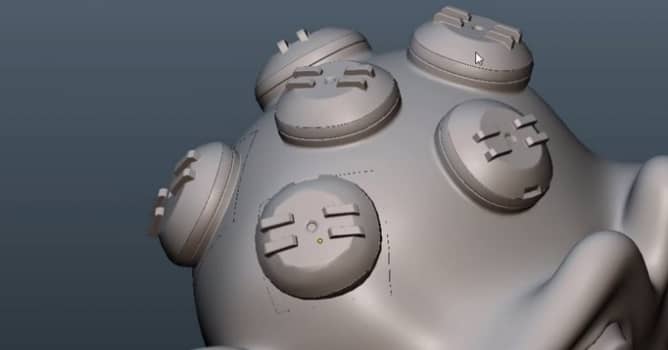

Max Puliero presents simple method for snapping objects in Blender with the use of Shrionkwrap modifier and Vertex weight. In just few minutes you will be able to place details on your models - just select your object that you want to snap and create a couple of vertex groups on trhe surface that is going to be your base. Don't forget to place the object's pivot in the center of this surface. Then you can create groups with different weights, starting from 1 to 0.2 the next step is adding shrinkwrap modifier on your first object with the target set on object you are going to snap to. Select vertex group in modifiers' options.
The last step is adding ":transfer data" modifier so the Blender can align normals of both objects automatically. Detailed instructions in the video below.




LEAVE A COMMENT





|

|

|

|

|
 Customer zone
 Your orders
 Edit account
 Add project
 Liked projects
 View your artist profile
COMMENTS