Spline 2 Poly | ZOA3D
https://youtu.be/hJFl8uMs4vM
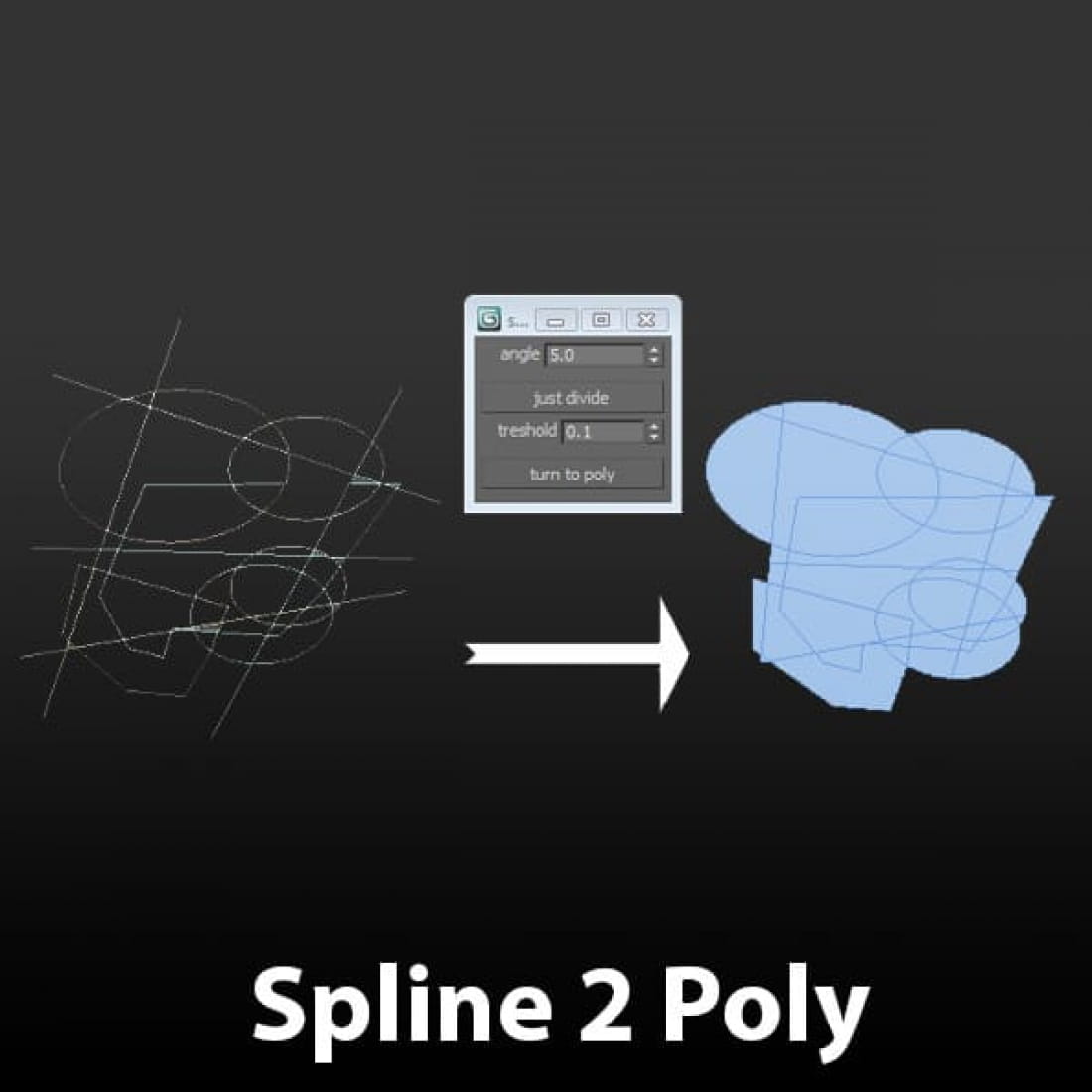
While building up architectural models we often come across the task to create a plain editable polygon object with all the neccessarry lines imprinted into it.
This script is an alternative to the shapemerge compound object or the “imprint” option of the ProBoolean object in 3ds max – but this one works. Rather then cheating with an original mesh where we would like to put previously selected splines on, this script goes the other way and creates the polygon object directly from the original splines.
No matter if we have one spline object or more, just select them and push the lower button: turn to poly. The “just divide” button creates a copy of the original object and makes the vertices visible, so you get to know how the curves get divided. Delete these splines after creation!
The script is rather slow, so be patient if working with big areas. Also save your work before applying the spline2poly script.
Download this script here: https://cgtricks.com/spline-2-poly-zoa3d/
---
CGTricks | https://cgtricks.com
Posted on 07.10.2019
You have to be logged in to like this project
 wuanhyu
LEAVE A COMMENT






 Customer zone
 Your orders
 Edit account
 Add project
 Liked projects
 View your artist profile