3DS Max 2015, Vray 3.0 & Photoshop Alpha channel issues
Hi All,
As I am relatively new to Max, Vray & PS please bear with e for the lack of knowledge.
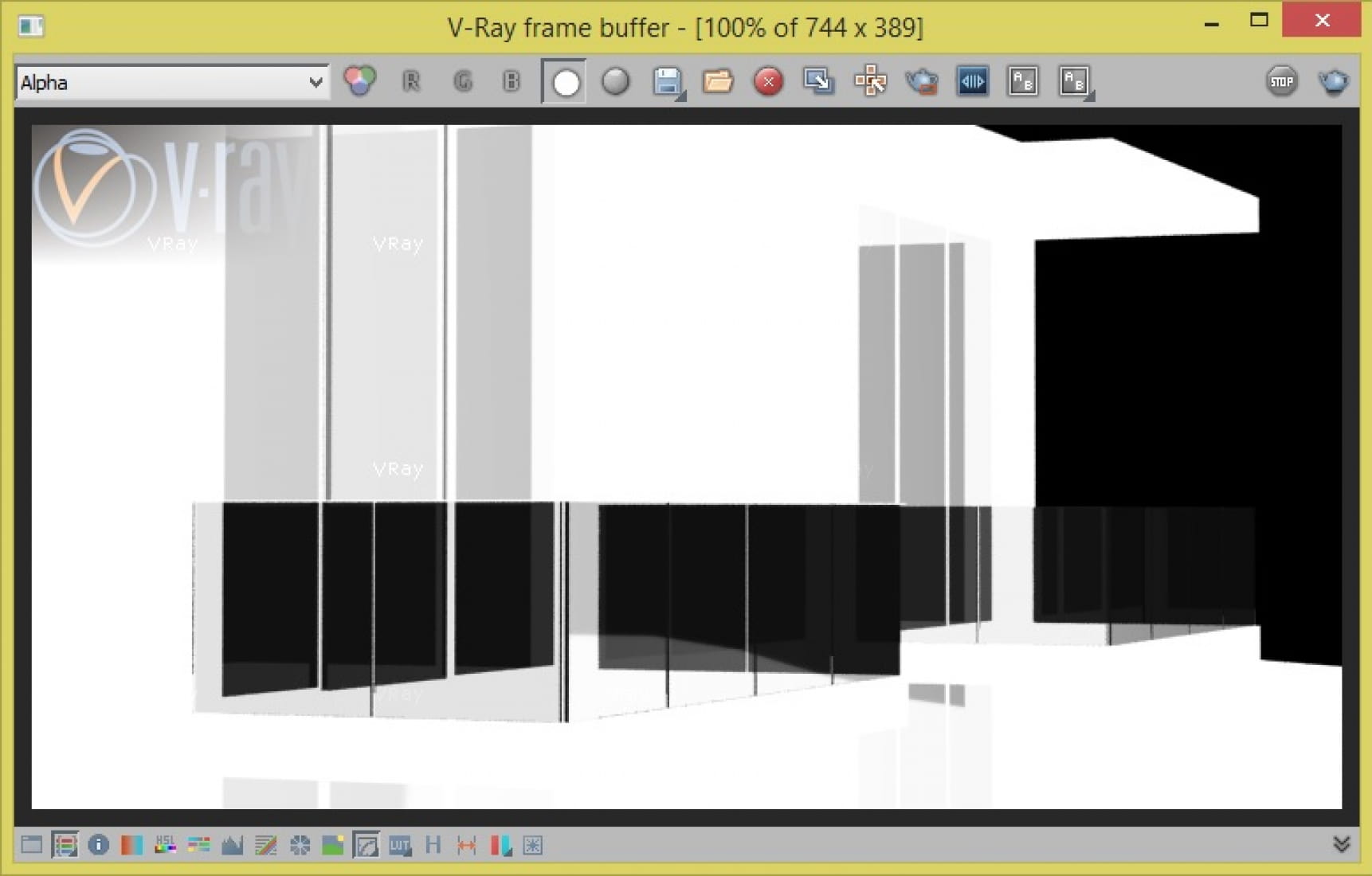
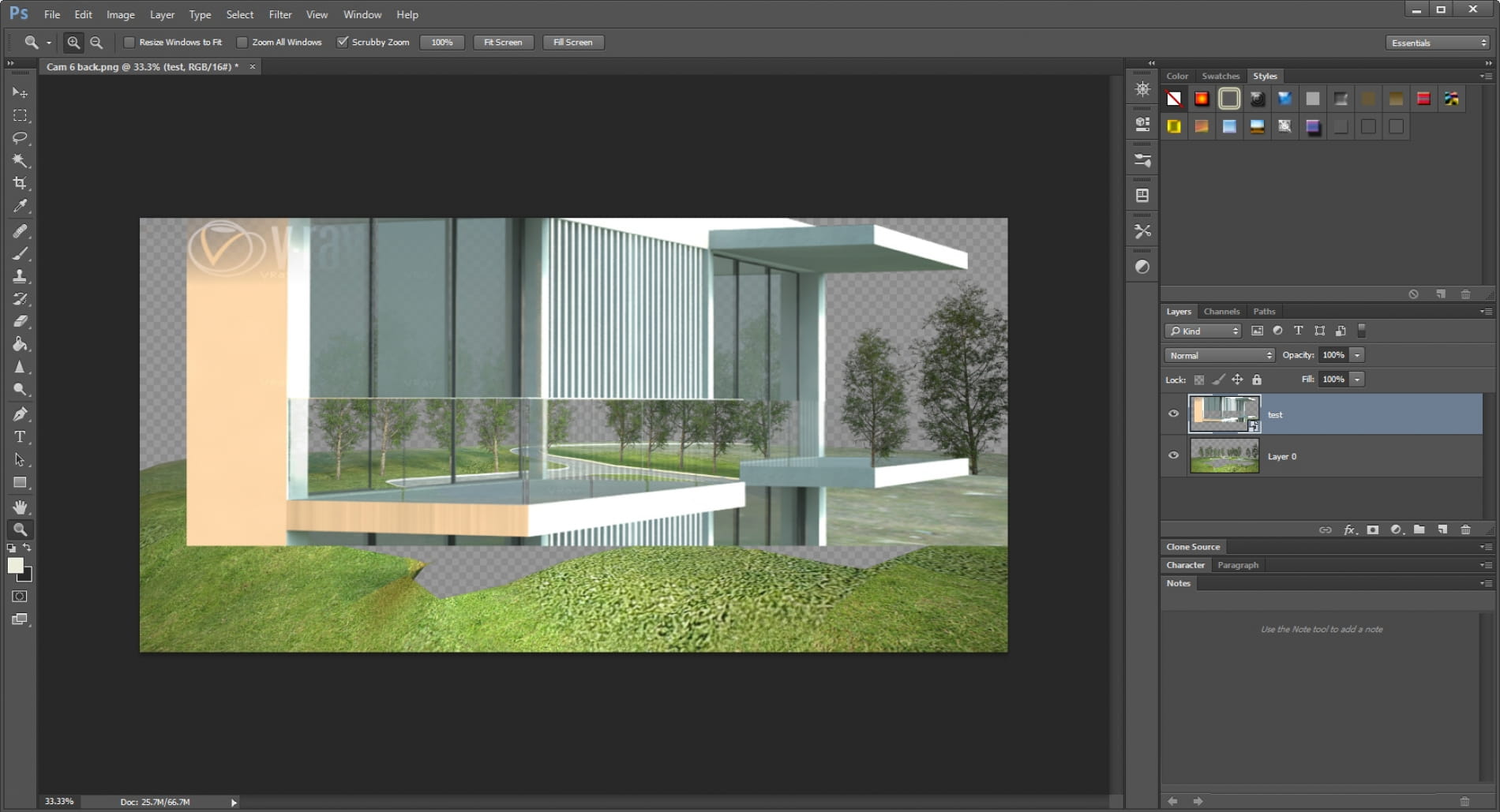
I have created an architectural model in Max and used Vray for the texturing etc. and decided to render out the 2 separate images, the background with trees and the foreground with the model in. I then saved these as PNG files in order to retain the alpha channels ready for photoshop but before doing so looking at attached photo 1 you can see black transparency in the glass railing around the balcony. Sorry for the small confusing image, sick and tired of rendering this multiple times, photo 3 shows better elemental relationship.
I think the issue is down to the fact that behind this glass railing is another glass window, then an interior wall and then an exterior wall and that Max is getting completely confused with the alpha channel in that area.
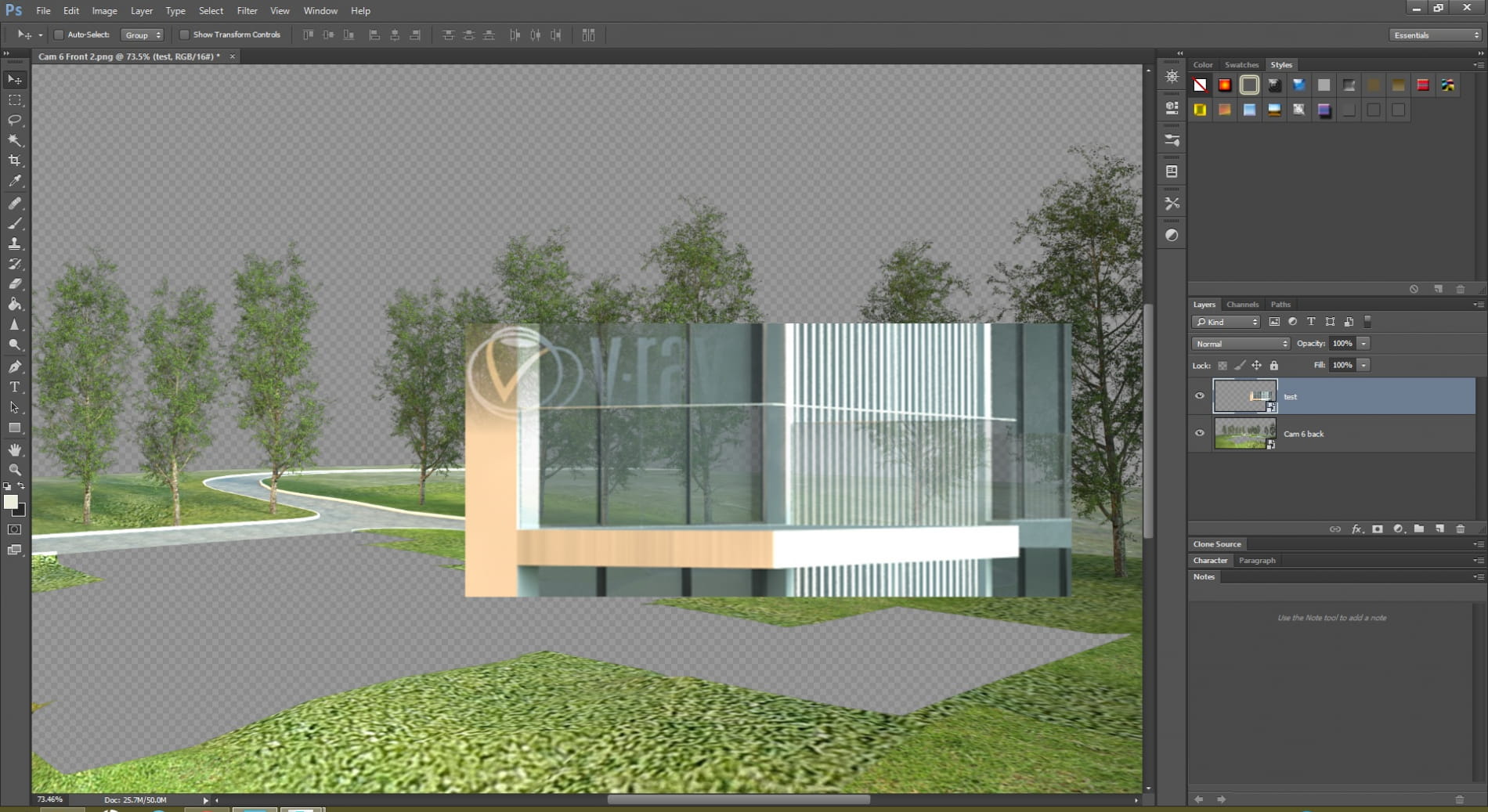
Basically the results I am getting is within photo 2 where you can completely see the whole background image through the model, it is rediculous.
Like I say I am a newbie so I do not know if this is correct but I attempted to add a colour correction map to the opacity slot of my glass material and the results are in photo 4. Transparency was reduced but it has just caused a more dull effect and certainly not what I am looking for. (If it is of any use Photo 3 also shows glass material parameters).
As this is my first ever thread, I would be greatly appreciative of any help in resolving this matter.
Danny.
135977135978135979135980
Posted on 10.04.2015
You have to be logged in to like this project
 CGIwannabe
LEAVE A COMMENT





 Customer zone
 Your orders
 Edit account
 Add project
 Liked projects
 View your artist profile