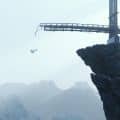
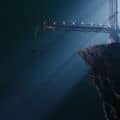
The Beast 2
A scene i have worked on earlier for my new Online Course....
this was an amazing experience since i started this project from scratch......
Never ever faced problems in a scene as much as i did in this one ( mainly in the modeling and unwrapping process )........ but never learnt from a project as much as i did in this one......
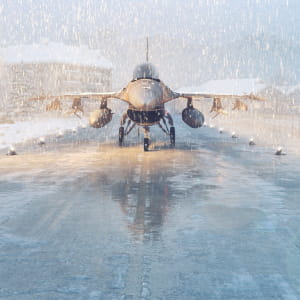
i had to download tons of reference images for the jet which helped me a lot in the texturing process....... i tried sooo hard to follow PBR workflow and to follow a non-destructive procedurals in S.P which helped me alot later on adding details......
For the lighting i could follow the reference images i downloaded earlier...... but after several hours i lost my interest in the scene since i wasn't really feeling happy about the theme i was achieving..... it was soooo white with no concept to be honest......
so i wanted to manipulate the lighting to achieve a more interesting theme.......
i tried to break my limits using Particles Flow for the falling snow.... Speed Tree for trees and pushes.... Poly snow for snowy masses...... Using procedural maps to model the terrain from scratch.......
Fully Modeled, Textured , Lighted and Rendered
Programs Used : 3Ds Max 2018 , Substance Painter , Speed Tree, Corona, I too Forest Pro , Ivy Generator, Photoshop CC
Software: 3Ds Max 2018 , Substance Painter , Speed Tree, Corona, I too Forest Pro , Ivy Generator, Photoshop CC
Posted on 05.12.2019
You have to be logged in to like this project
 Rami Shraim
LEAVE A COMMENT






 Customer zone
 Your orders
 Edit account
 Add project
 Liked projects
 View your artist profile