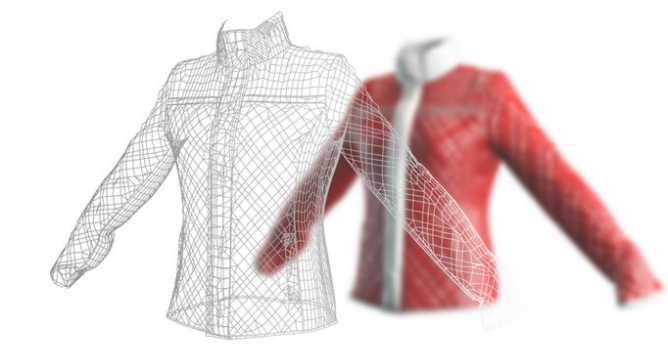
Marvelous Designer allows you to create beautiful 3D virtual clothing.
New features in Marvelous Designer 4:
Quadrangulate - Users can transform the synchronized triangular mesh to quad mesh
Symmetric Design / Editing - Users can design or edit patterns symmetrically
FBX Import - FBX Import feature works for Mesh and Skeletal at this moment, due to integration issues, it is currently unavailable for Material, Animation and Morph features.
1 to N sewing - It is used to sew a segment onto multiple segments easy and fast
Basting (Tack, Tack on Avatar) - Users can see the change in fit by temporarily clipping two points of the garment
Normal Flipping - It is used to easily change pattern normal in the draped or undraped status. After the patterns are sewed, users can minimize time by Normal Flipping at the last step.
Layer Clone - Pattern is cloned, sewings and internal lines are sewed together whilst the garment is draped in the 3D Garment Window. It is extremely useful in creating garments that has layers such as Padded effect, Collars, Cuffs.
Wrapping Arrangement - Users can flip Wrap Direction of the arranged patterns.
Scale Rotation Pivot - It is possible to scale pattern by using scale rotation pivot as you wish
Multiple Selection - With Multiple Selection, it is now possible to move the garments as you wish. Users can easily fold up sleeves and pants.
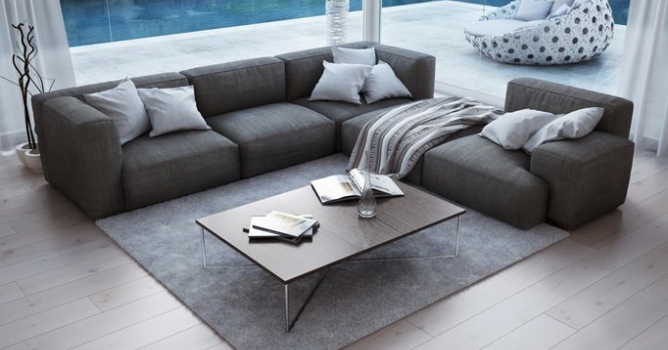
In this walkthrough, we guide you through the process of building a polished 3D interior scene inspired by the cover of Archmodels vol. 306 – Table Sets.











 Customer zone
 Your orders
 Edit account
 Add project
 Liked projects
 View your artist profile
COMMENTS