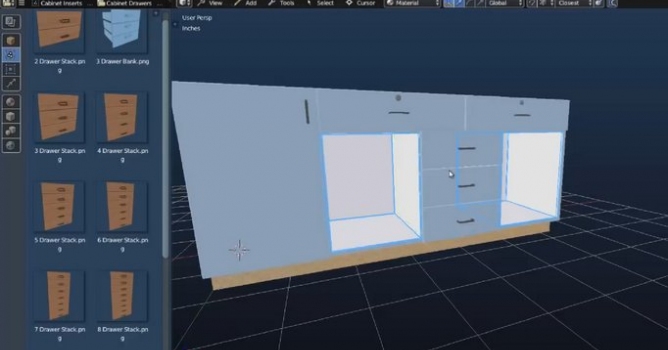
This tool enables you to design kitchens, closets, bathrooms, office spaces, and other interior spaces in a fast way, using Blender technology.
Using Blender technology as the design engine, Microvellum Fluid Designer enables you to design kitchens, closets, bathrooms, office spaces, and other interior spaces within a professional, modern drawing environment. It includes tools that allow you to seamlessly exchange data and ideas with co-workers, clients and manufacturers.
With pre-defined lighting environments, detailed material textures, and on the fly material changes, your projects can go from design to presentation faster than ever before.
Advantages
A free design tool that can be linked to Toolbox for Manufacturing
Built using the latest Blender technology
Freeform design tools allow for an unlimited amount of custom product creation
Unmatched rendering, animation and presentation technology
Publish designs to the web for client review and virtual tours
Benefits
Designers have the power to seamlessly send their designs through to Microvellum Toolbox users for manufacturing
Manufacturers can provide their design teams with software that syncs with their library data, construction styles and machining methods.
Layout entire kitchens in 10 minutes or less
Provides you with the tools to produce stunning visual presentations for your clients
A powerful tool that allows you to confidently make changes to projects in front of clients
An easy-to-use design solution requiring minimal training
Features
Includes all Blender functionality
Link Fluid Designer designs to Microvellum Toolbox
Sync with Microvellum Toolbox library data
Quick custom product creation
Automated parametric functionality embedded in parts and inserts
Photo-realistic renderings & cinematic animation
Incredibly fast draw time
Parametric Smart Objects
Massive room component library including appliances, fixtures, seating, lighting, furniture, and more.
Multiple styles and finishes can be viewed quickly, allowing for an enhanced client presentations.
Colors, patterns, and finishes all appear “true to life”…
Position Based Fluids Demonstration. New fluid simulation technique, using Position Based Dynamics approach. The demo was running in real-time on a single GTX 580.
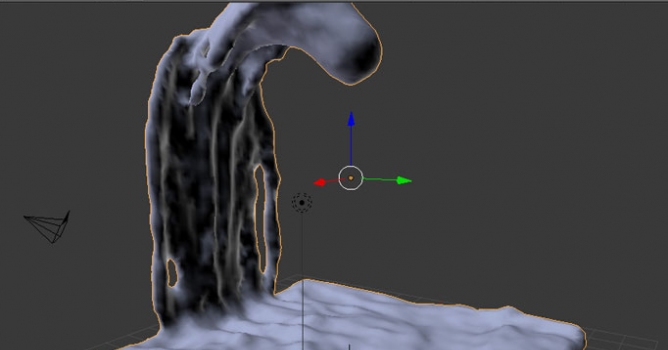
In this tutorial we are going to learn how to setup a very basic Blender fluid simulation. You'll learn about some of the basic parameters do adjust in order to get your fluid simulation looking how you want.
In this walkthrough, we guide you through the process of building a polished 3D interior scene inspired by the cover of Archmodels vol. 306 – Table Sets.













 Customer zone
 Your orders
 Edit account
 Add project
 Liked projects
 View your artist profile
COMMENTS