Search
Cart
Your cart - 0 items
Total: € 0
Total: € 0
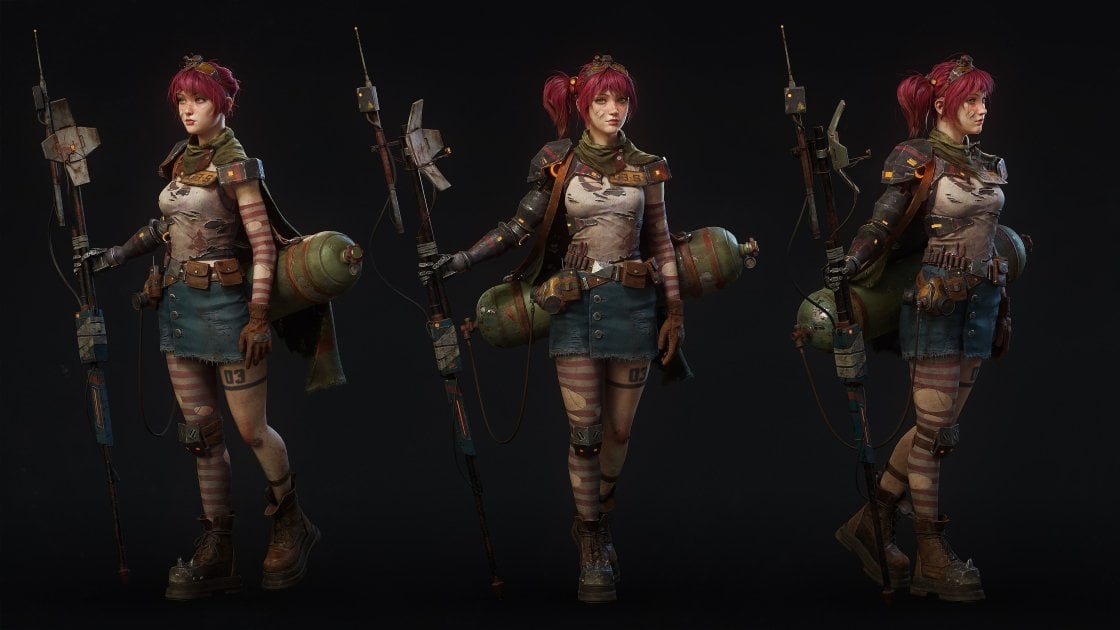

Adobe released Substance 3D Painter 12.2 on October 21, 2026, introducing cage painting - a feature that lets artists paint baking cage distances directly onto their 3D models. The release marks a deliberate shift in focus: according to Laurens Corijn, Product Manager at Adobe, "We felt we had been neglecting baking for a while, and this is mostly gaming / entertainment, so we decided to focus on it for this year. So much so that we squeezed out 3 releases in 2026 even."
The cage painting feature addresses a known problem. Corijn explains, "The reason was that we were hearing more and more people were, despite preferring not to, bypassing Painter for baking and using other tools." User research revealed the most-requested missing features: Skew, Cage, Bevel, per-object setting overrides, and baking multiple copies of the same map. Adobe released version 12.1 earlier in 2026 with automatic rebaking and skew correction painting; version 12.2 builds on that foundation.
Cage painting required a technical rethink. Adobe built a new hidden layer system to hold painted cage information within baking mode. Corijn notes, "Cage was less challenging than Skew, as we had already established the basis with Skew, which is enabling Painter's painting system inside the baking mode. It also involved creating a new hidden type of layer stack to hold this painted information. That system took quite a while to build, but with it in place for Skew, it only took a day or two to hook it up to cage painting."
In baking mode, cage offsets display as a green overlay. The release notes list three blending modes: Normal, Lighten Max, and Linear dodge Add (the default).
Beyond cage painting, version 12.2 overhauls the Polygon Fill tool for the first time in roughly a decade. The tool now includes Polygon Loop and Partial Loop selection modes and can ignore hidden polygons. A long-standing frustration is resolved: Marquee selection no longer picks through objects to unintended surfaces. Corijn calls this fix a priority: "well, number one is: no more selecting through objects with Marquee / drag selection! This one drove me nuts, and it's a muscle memory I'll have to unlearn even, having gotten so used to the limitation!"
Additional quality-of-life improvements include Texture Set highlighting in the viewport and Order-Independent Transparency for improved real-time rendering of transparent materials.
Video: 80 Level
For archviz studios, cage painting closes a workflow gap that has pushed artists toward external baking tools. Painter is the central hub in most archviz asset pipelines - especially where Archmodels libraries are involved - and friction between baking and texturing means artists either fragment their workflow across applications or lose time on manual corrections. Painted cage control keeps baking in Painter and reduces the friction between model preparation and texture application, which is valuable for maintaining consistency across material libraries and managing asset revisions without jumping between tools.
Substance 3D Painter 12.2 is available for Windows 11, RHEL 8.6 / 9.2+, Ubuntu 22.04+, and macOS 15.0+. The release notes and feature details are published on Adobe Experience League.
Video: CG Channel
Video: CG Channel
Lead image: 80 Level



LEAVE A COMMENT








|

|

|

|

|
 Customer zone
 Your orders
 Edit account
 Add project
 Liked projects
 View your artist profile
COMMENTS