Substance 3D Painter 12.2, released on October 21, 2026, introduces cage painting—a feature that lets artists adjust baking cage distance directly on the model using brush and polygon fill tools. The release cuts iteration time in the high-poly-to-low-poly texturing pipeline by eliminating the need to recalculate an entire cage when local projection problems appear.
In Substance Painter, a baking cage determines how far the software searches beyond a low-poly mesh when capturing detail from its high-resolution counterpart. According to 80 Level, "a cage that is too close can miss details, while one that extends too far can capture information from unintended surfaces." Until now, fixing isolated projection artifacts meant adjusting the global cage and rebaking—a trial-and-error cycle on dense geometry.
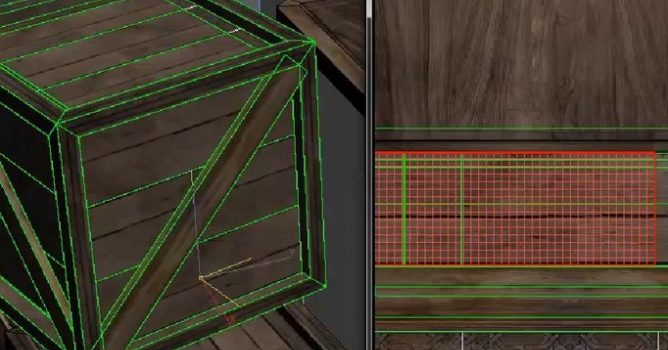
Cage painting works by applying an intermediate texture as offset on the cage mesh during baking. Artists can paint with the Brush and Eraser tools for per-pixel control, or use Polygon Fill to adjust complete sub-objects across three selection modes: Rectangular Marquee, Polygon Loop, and Partial Polygon Loop. Three blend modes—Normal, Lighten Max, and Linear dodge/Add—control how the strokes combine with existing offsets. A new Visible Polygons Only option prevents selections from passing through the model to affect polygons on its opposite side, addressing a friction point on overlapping geometry.
According to 80 Level, "artists can now paint the cage distance directly onto their model with per-pixel brush control or use Polygon Fill to adjust complete sub-objects," and "this should make it easier to identify and correct local projection problems before committing to another bake instead of repeatedly changing the entire cage and checking the result."
The release also includes Order Independent Transparency, a viewport rendering option that improves preview of glass, ice, liquids, and other low-opacity materials. When transparent surfaces overlap, the improved sorting produces a clearer real-time preview—though the option is disabled by default. The release notes list updates to the Bakers (3.23.0) and Substance engine (9.6.1).
A texture set highlighting feature also illuminates corresponding viewport geometry when hovering over entries in the texture set panel, easing navigation on complex multi-part assets.
For Archviz Pipelines: Faster Baking Handoff
For archviz artists working Substance Painter into a Max, Blender, or real-time render pipeline, cage painting targets a concrete pain point: the repetitive adjustments and failed bakes that slow asset production. High-poly-to-low-poly transfer is standard for both single props and packed scene content, and projection artifacts on dense geometry—trim, railings, hardware, botanical models—are common. Per-pixel cage control means fewer full rebakes and shorter feedback loops before texture handoff.
Cage painting extends the approach introduced in Substance 3D Painter 8.3, where artists could paint skew corrections directly onto low-poly geometry. The ability to address cage distance with the same directness streamlines the texturing phase for both single assets and scene content, reducing the planning overhead on projects where baking setup has historically consumed disproportionate time.
Sources
Lead image: 80 Level






 Customer zone
 Your orders
 Edit account
 Add project
 Liked projects
 View your artist profile













COMMENTS