Search
Cart
Your cart - 0 items
Total: € 0
Total: € 0


Super Smart Create Script was made by Pedro for 3ds Max users (the script was based on another script by Perna, and with help from Miauu). It speeds up modeling process by assigning some common tasks to a single keystroke. and just recently, maxivz ported this awesome script to Blender, with the same functionality. So what does this script do? With a single keystroke that you can assign to its execution you can...

Connect verts that belong to the same face

If you select one vert or two verts that share the same edge and are on a border it will invoke F2 mesh (make sure you have Mesh: F2 addon enabled in Blender)

Divides the selected edge in 2, putting a vert in the middle of the edge

Connects the selected edges if there is faces in between the edges
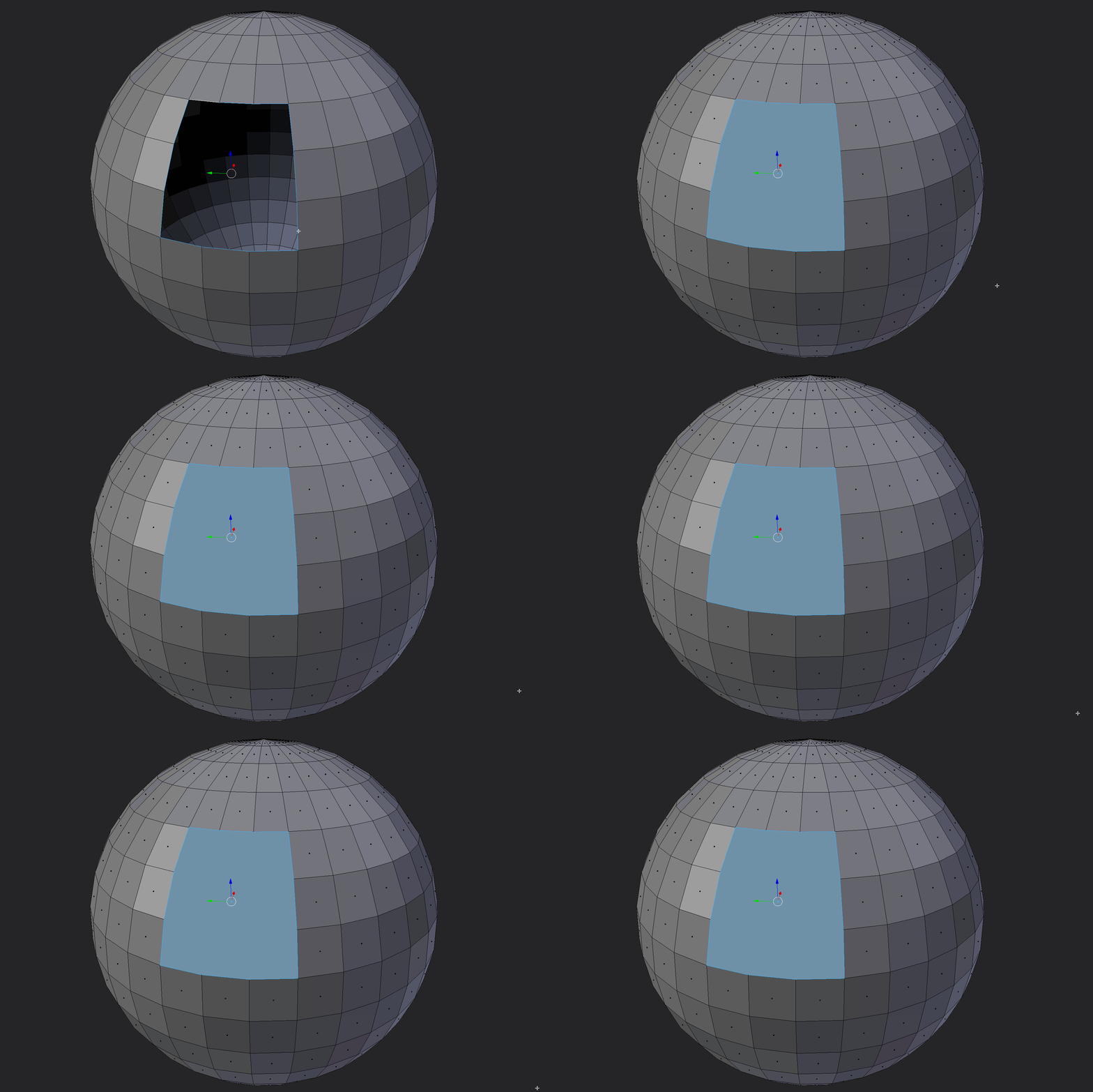
Caps selected borders

Bridges selected edges if possible

When you select 2 adjacent edges it creates a face

Bridges selected polys

Heres an extra one, tries to make quads from a selected face.

This last feature works pretty good if you cap a border and then run the script again to make quads out of it:
Resources:





LEAVE A COMMENT








|

|

|

|

|
 Customer zone
 Your orders
 Edit account
 Add project
 Liked projects
 View your artist profile

COMMENTS