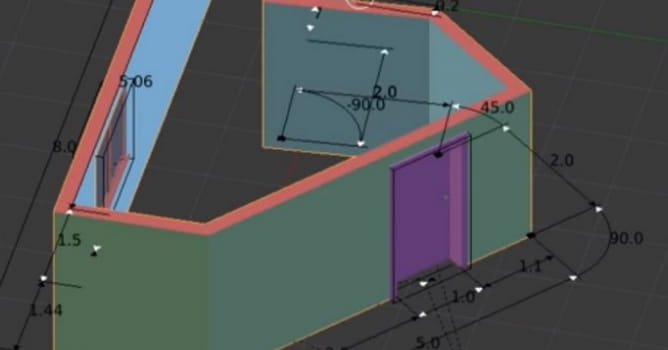
The Archipack Add-on that makes creating architectural elements quickly. You can make procedural walls, stairs, windows, doors, manipulate them and automatically use realtime boolean function for cutting holes in your walls. Just create a wall and a window, select a wall and choose "Robust" or "Interactive" Boolean from Tools menu. This add-on creates the most common architectural elements, but there are more in plans.
Currently in the pipeline there are some other objects like:
- Fence
- Generic cabinets able to model kitchen
- A smart roof generator
- Enhanced create tool "snap aware" for walls
What else does it do ?
Detect polygons from unordered splines (spaghettis) like in architectural 2d blueprints within a single click. Fix precision issues filling small gaps between lines encountred when importing. Once detected, you are able to pick polygons with a select tool and build walls, doors, windows, curves or closed polygons right from your selection.
Why ?
Cleaning dxf files or redrawing walls in worst cases is often a painfull task. This script does automagically fix most issues encountred in imported cad drawings, eg: not well formed lines, and allow you to simply select needed polygons to get a clean curve of polygons boundarys.
Download the Archipack
Discussion on Blenderartists.org
 Customer zone
 Your orders
 Edit account
 Add project
 Liked projects
 View your artist profile














COMMENTS