We are more than an asset library

Watch our Showreel
Search
Cart
Sign in
  • offerCustomer zone
  • offerYour orders
  • offerEdit account

  • offerAdd project
  • offerLiked projects
  • offerView your artist profile

  • Dark mode
    ✔
F.A.S.T tutorial

F.A.S.T tutorial

Vimeo 2014-08-19 14:57 tutorial  > 3ds MAX  > animation

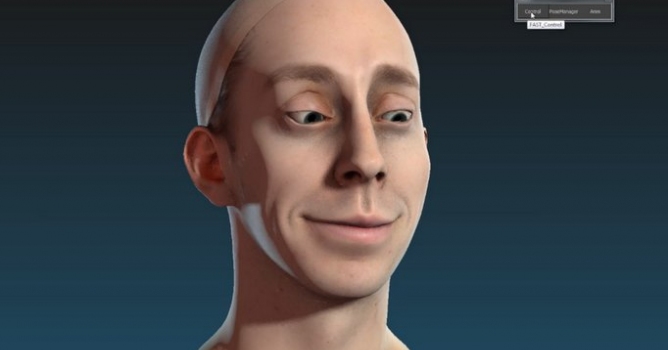
In this video tutorial you'll learn the basics to use F.A.S.T - tool for 3ds Max that speeds up your rigging workflow.

Inspired by what Pixar showed on Presto, this tool will really speed up your rigging workflow, but most of all your animation efficiency. You don't need anymore to create additional object to control your rigs, everything is triggered by predefined mesh zones and your mouse movements.

For more informations go to : kinematiclab.com/#!fast/cokv

Author: Vimeo
Tags: f.a.s.t
You may also like...
Fumaris Brings GPU-Accelerated Smoke and Fire to Blender Without Leaving the Viewport

Fumaris Brings GPU-Accelerated Smoke and Fire to Blender Without Leaving the Viewport

Fumaris, a $39 GPU-based simulation extension for Blender 5.1+, lets archviz artists bake smoke and fire effects in real time using NVIDIA Flow, eliminating the traditional export-to-external-simulator workflow.
×

LEAVE A COMMENT

You need to be logged in to leave a comment. Don't have account? Register now.