3S Cloud Render Farm's success stories
We are so pleased to tell you about one of the first 3S customers, ALDY.3D
Art Station Profile: https://www.artstation.com/muhammadaldy
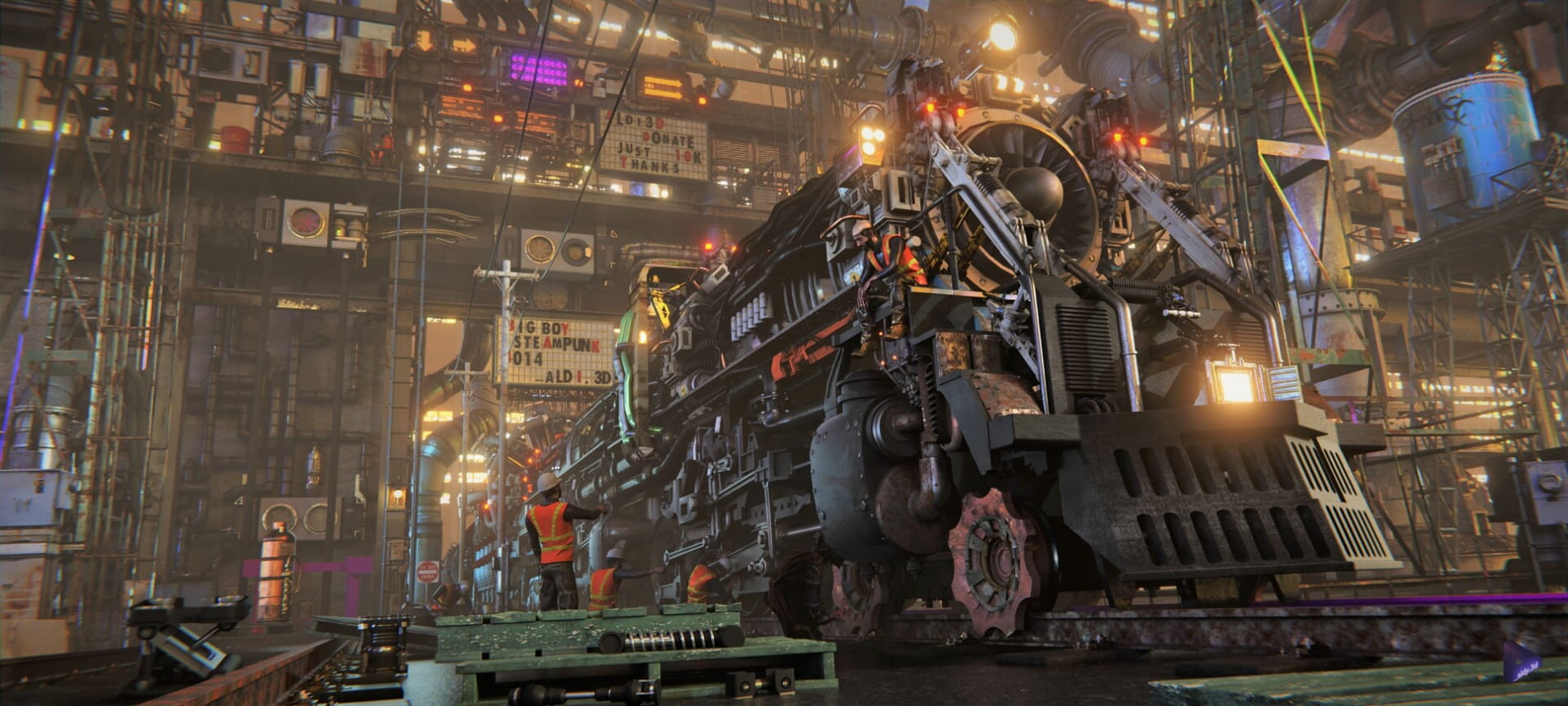
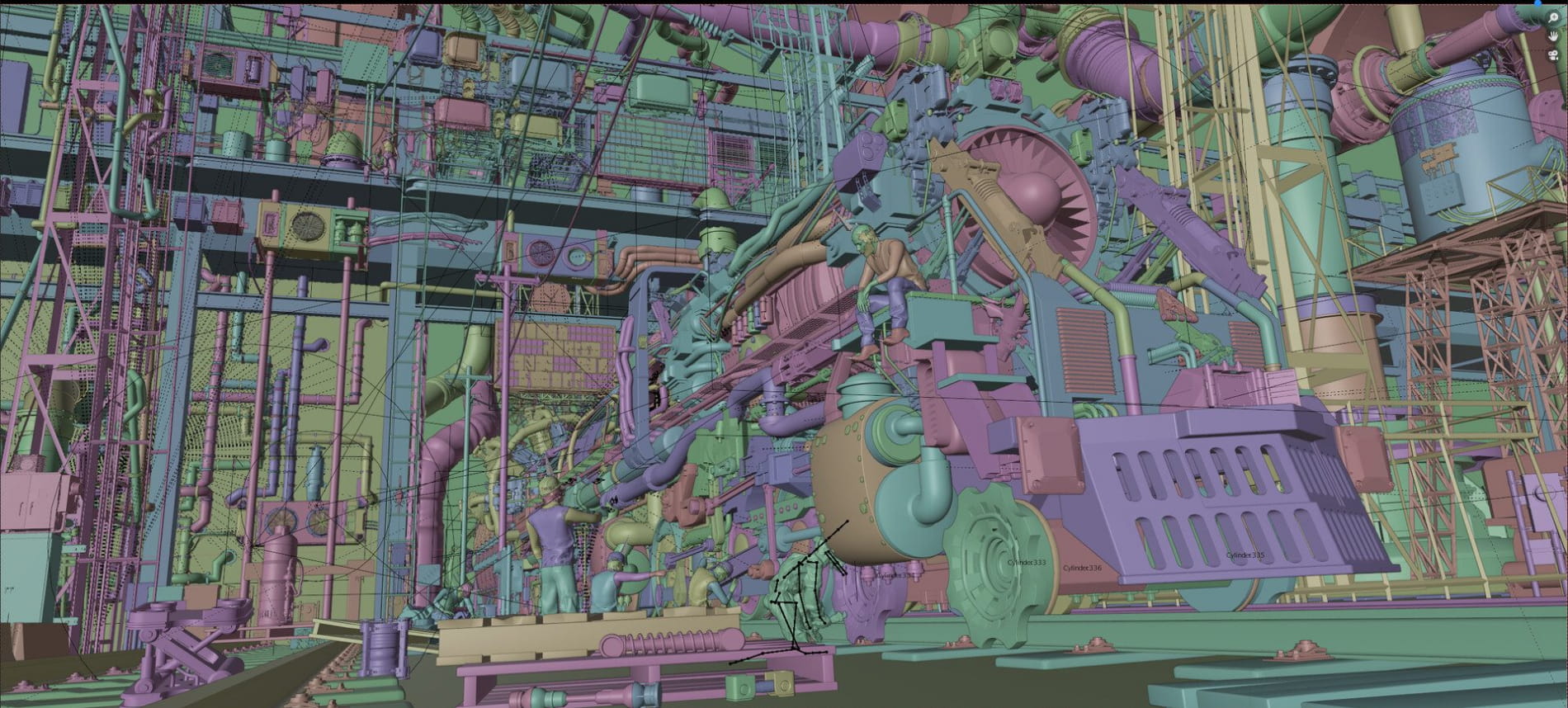
Project Name: Steampunk Train
Render engine: Cycles
Format: Still image
Style: Concept Art
What can 3D artists choose to do during the coronavirus pandemic?
2020, the world is covered by the coronavirus pandemic which affects the 3D industry. During this time, many 3D artists have been working from home or even leaving the office for a long time without pay. “So what should we do to not waste time in this crisis?” is the question that 3D artists have been still pondering over.
For Aldy, to take advantage of his spare time during the pandemic, he decided to create artworks in order to improve his skills as well as his portfolio. At the same time, Gleb Alexandrov, a 3D Artist, Pixel Pusher at Creative Shrimp, who makes Youtube videos with Blender tips, and tutorials, with his amazing Steampunk Train inspired Aldy to start his project. And, he worked on his own Steampunk Train for about 2 months, starting from 15th July to 27th August.
Take advantage of the add-ons in Blender
Aldy didn’t select any third applications for this design. Instead, he used composite nodes and a lot of add-ons in Blender to make modeling and texturing easier. However, there are many difficulties to create this artwork in which lighting is the most difficult because his computer was unable to render a preview to check whether the lighting was correct or not.
After that, “I was so impressed when shading played the nodes in Blender. After that, I could give many suggestions together with recommendations about inputs; thanks to this, my work would be better in the future.” – Aldy shared.
It might take 12 hours to render a scene
To render this artwork including hundreds of textures and millions of verts, Aldy had a problem with his RAM which was not large enough to render this scene. Therefore, his computer immediately went to a blue screen every time he rendered. After optimizing in Blender, he was able to render this project for 12 hours on his personal computer at 2000 samples, 3840 x 1730, Denoise. Finally, he tried using a render farm for this work.
How did you experience on 3S Cloud Render Farm, Aldy?
– “I rendered on 3S Render Farm, it was very fast. Specifically, it only took about 20 minutes when rendering on 3S while on my personal computer, it might take 12 rendering hours. Although there are many features on this render farm, the UI was, fortunately, very easy for beginners like me to use. If you have any issues, it is very easy to get assistance at any time. Especially, the most important was the quality of the rendering results, but there was no difference. I felt very satisfied and attached when using this rendering service.”
We still remember that when Aldy uploaded his project (just about 2GB) to our system, unfortunately, his network speed was definitely poor. So our team, at 2 am, still gathered together to assist him. Finally, of course, he uploaded it successfully. We would like to thank Aldy and all customers for giving us enjoyable and rewarding experiences.
Posted on 15.12.2020
You have to be logged in to like this project
 3scloud_renderfarm
LEAVE A COMMENT






 Customer zone
 Your orders
 Edit account
 Add project
 Liked projects
 View your artist profile