Vray output problem - color saturation & brightness
Hi,
I am new to Vray. In fact my administrator help me to setup 3ds Max and Vray in my workstation for a couple of months, until lately I started to learn the tools, I have little bit of experience of using Octane Render prior to this.
However, I realize my Vray render output have some issues, the output are too bright and the color seems to be incorrect.
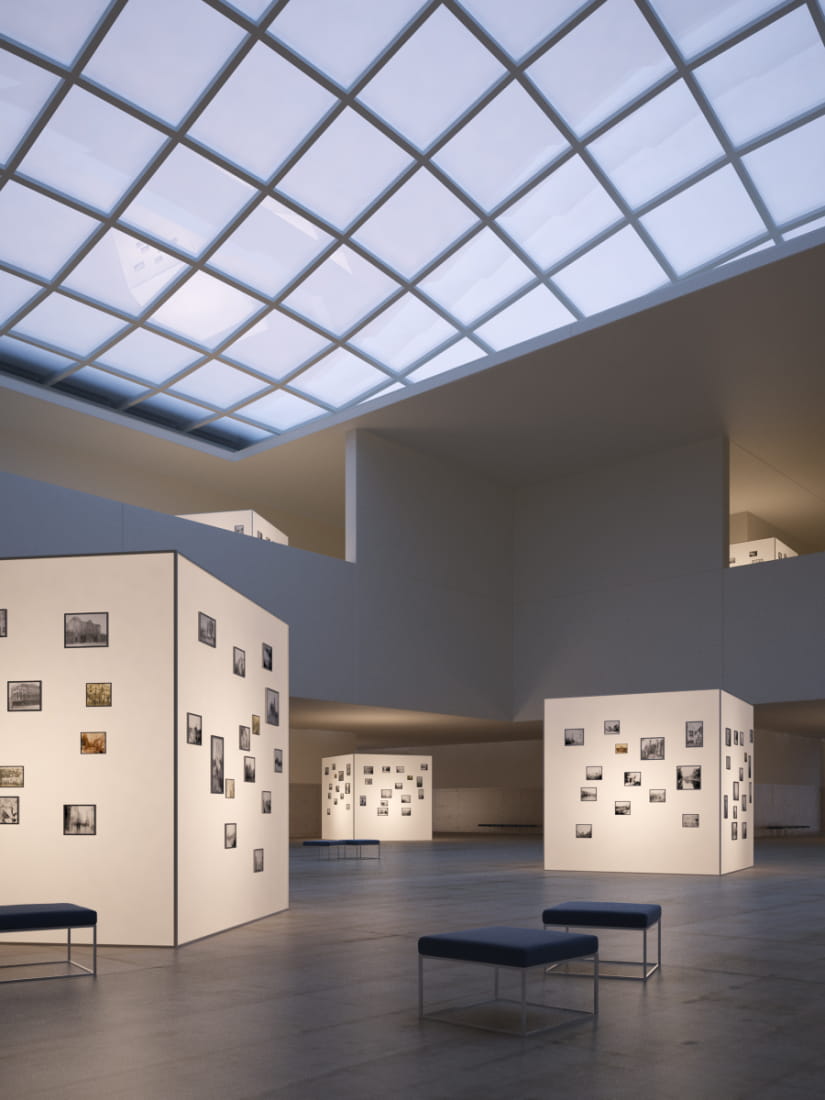
For example, I bought a package from Evermotion, I took the original image came with the package:
137903
(I retrieve the original image out from photoshop, without the postwork)
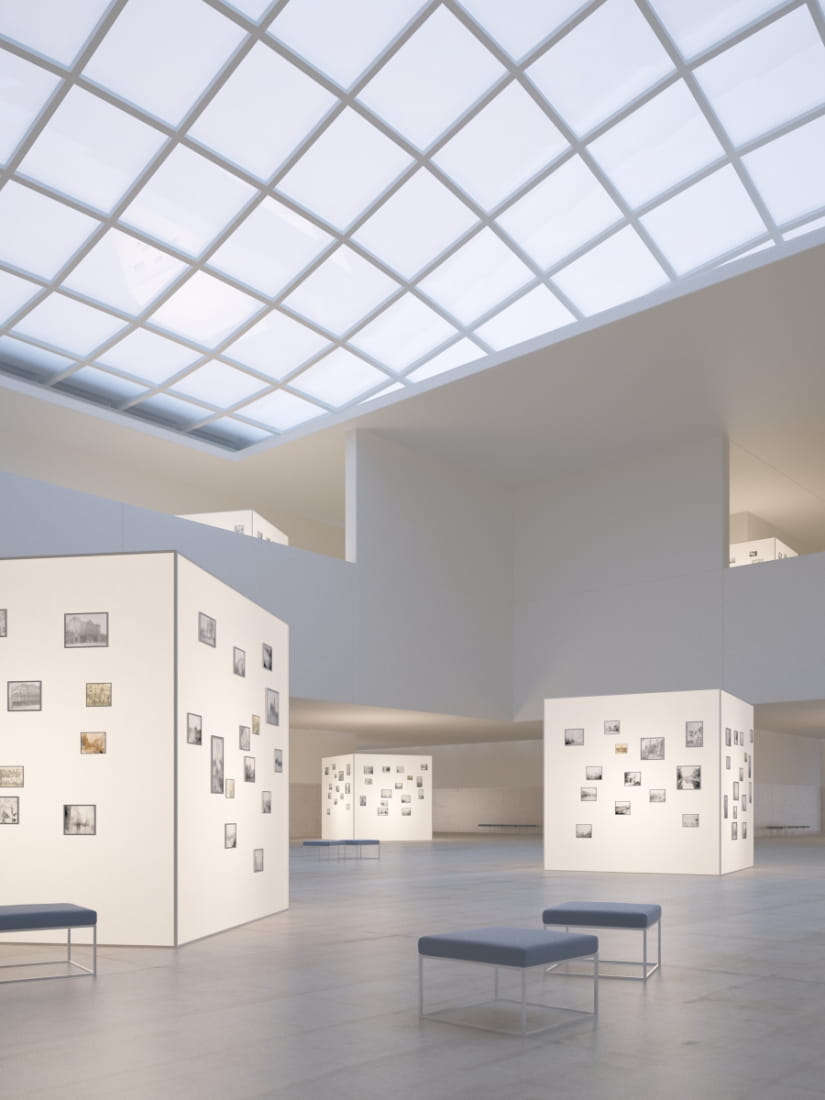
Compare to what I render:
137904
I render this by opening the max file from the Evermotion package, without changing any configuration.
As you can see, the image are quite different and no where match the original image from Evermotion, my image are much brighter, and the color saturation are totally out.
May I know what can I do to check what went wrong with my system?
My workstation:
Video Card: Asus nVidia Geforce GTX 780 ti
Monitor: Dell U2713H
Max Version: 2015
VRay Version: 2
I really appreciate if you can give me some ideas, I am really not sure what to do now.
Thanks!
Posted on 25.05.2015
You have to be logged in to like this project
 michaelkamms
LEAVE A COMMENT

 Customer zone
 Your orders
 Edit account
 Add project
 Liked projects
 View your artist profile